




If you’ve been using the WordPress block editor for a while, you’ve probably noticed something: Gutenberg is pretty capable on its own, but the right block plugin can take it much further.
You can add better layouts, advanced design controls, content grids, tabs, accordions, forms, templates, and plenty of other features without replacing the WordPress editor with a completely different page builder.
The tricky part is choosing the right plugin.
There are plenty of Gutenberg block plugins available today, and they don’t all solve the same problem. Some are built around performance and flexible layouts. Others give you dozens of ready-made blocks and templates. Some work particularly well with a specific theme or ecosystem.
So, which one should you actually use?
We’ve narrowed the options down to five of the strongest choices for 2026 and broken down what each one does well, where it may not be the best fit, and who should consider using it.
Quick answer: Which Gutenberg block plugin is best?
If you don’t want to read the entire comparison, here’s the short version:
| Plugin | Best for | Free version | Our take |
| GenerateBlocks | Performance and flexible layouts | Yes | Best for lean, highly controlled websites |
| Spectra | All-around website building | Yes | Best for users who want lots of functionality |
| Kadence Blocks | Design and responsive controls | Yes | Best for detailed layout control |
| Stackable | Ready-made designs | Yes | Best for visually polished websites |
| Essential Blocks | Large free block library | Yes | Best if you want lots of blocks without paying upfront |
If performance is your top priority: Start with GenerateBlocks.
If you want an all-around toolkit: Spectra is worth considering.
If you want detailed design and responsive controls: Look at Kadence Blocks.
If you want ready-made designs and a more visual approach: Stackable is a strong option.
If you want a large selection of blocks in the free version: Essential Blocks deserves a look.
How we chose these Gutenberg block plugins
There is one mistake we see quite often when people compare block plugins: they focus almost entirely on the number of blocks.
That’s not necessarily useful.
A plugin advertising 80 blocks isn’t automatically better than one offering 10.
What matters is whether the blocks are actually useful, how much control they give you, how they affect your workflow, and what happens to your website if you eventually decide to move away from the plugin.
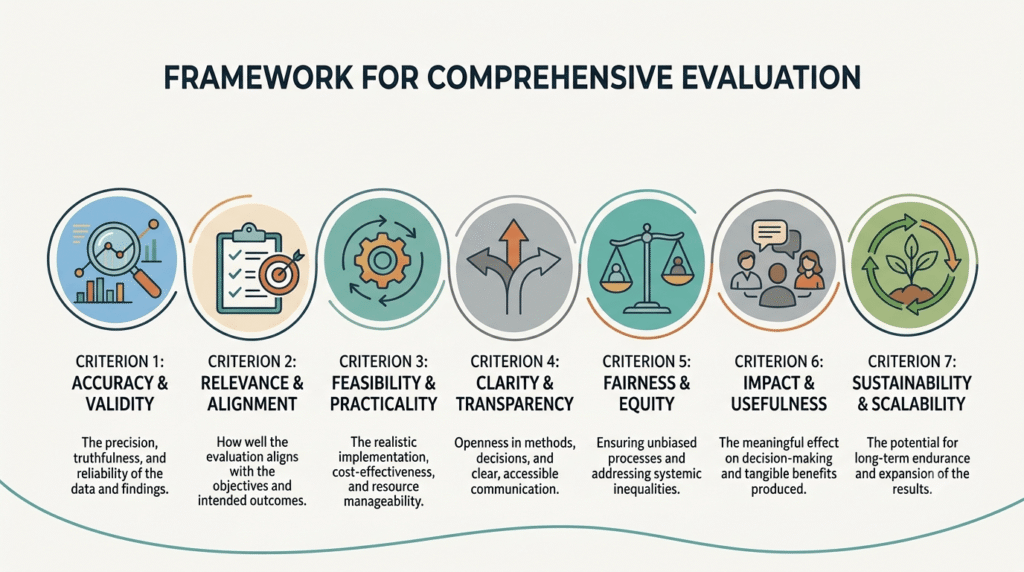
For this comparison, we looked at several factors:
- Block quality: Are the blocks genuinely useful or just padding the feature list?
- Design flexibility: How much control do you get over spacing, typography, layouts, colors and responsive behavior?
- Ease of use: Can a typical WordPress user figure it out without spending hours learning another page builder?
- Performance considerations: Does the plugin give you ways to avoid unnecessary features and assets?
- Free vs. premium features: How much can you realistically do without upgrading?
- Theme compatibility: Does the plugin work well outside its own theme ecosystem?
- Long-term flexibility: What happens if you eventually stop using the plugin?
- Updates and maintenance: Is the project actively maintained and keeping up with WordPress?
A quick note from our WordPress team
When you’re building a WordPress website, it’s tempting to pick the plugin with the biggest feature list.
We’d recommend looking at the bigger picture instead.
A block plugin becomes part of the website’s content and design system. So before installing one, think about how easy the site will be to maintain six months from now, how much flexibility editors need, and what happens if the plugin is eventually replaced. When a catalog plugin is not enough, that usually means custom block or plugin work. And when the design already lives in Figma, Figma to WordPress is the cleaner path than forcing a generic block suite to match it.
That’s particularly important for business websites that are expected to stay online and be updated for years.
1. GenerateBlocks — Best for performance and flexible layouts
GenerateBlocks takes a different approach from many of the larger Gutenberg block suites.
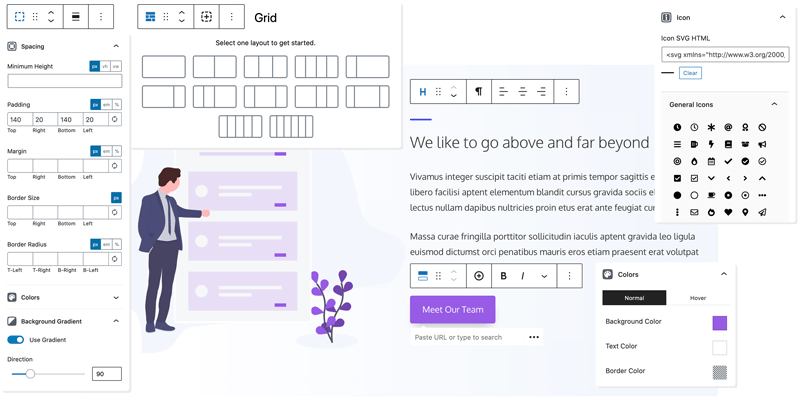
Instead of trying to give you a huge collection of highly specific blocks, it focuses on a smaller set of flexible building blocks that you can combine to create layouts.
That makes it particularly interesting if you care about clean layouts, control and keeping your WordPress setup lean.
GenerateBlocks is also closely associated with the GeneratePress ecosystem, although it can be used with other WordPress themes.
What makes GenerateBlocks stand out?
Its biggest strength is flexibility.
Instead of needing a separate block for every possible design element, you can build layouts using its core components and customize them to fit your design.
This approach is particularly appealing to developers and experienced WordPress users who don’t want a massive block library filled with features they may never use.
Best for
- Performance-conscious websites
- Developers and agencies
- Custom WordPress websites
- Users who prefer control over pre-built designs
- Websites where a lean design system matters
What we like
- Lean approach to block building
- Strong layout flexibility
- Good fit for custom-designed websites
- Useful for developers who want more control
- Works particularly well with GeneratePress
What to consider
GenerateBlocks isn’t necessarily the easiest option for someone who wants 50 ready-made blocks and a library of complete designs.
Its strength is also its limitation.
You get more control, but you may need to build more yourself.
If you want ready-made accordions, tabs, sliders, forms and dozens of specialized blocks, another plugin may be a better fit.
Our verdict
GenerateBlocks is one of the better choices if performance, flexibility and control matter more to you than having the biggest possible block library.
For a custom WordPress project, this approach can make a lot of sense.
2. Spectra — Best all-around Gutenberg block plugin
Spectra is one of the more feature-rich options in this space and is a good fit for users who want to do a lot with the block editor without installing several separate plugins.
There is one important update worth knowing about in 2026, though.
The original Spectra plugin is now referred to as Spectra Legacy, while the newer Spectra Blocks is a separate rebuilt plugin designed around WordPress’s modern block APIs.
That distinction matters if you’re researching Spectra today.
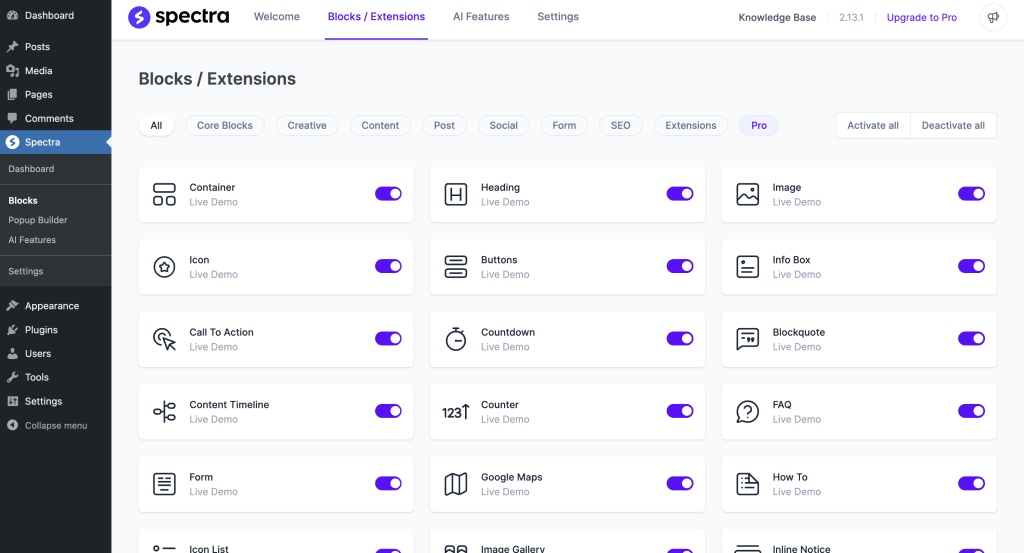
Spectra Blocks takes a more modular approach, with flexible blocks, extensions and a design library rather than simply trying to provide dozens of independent blocks.
What makes Spectra stand out?
The biggest attraction is breadth.
You can use it for layouts, buttons, content sections, accordions, tabs, sliders, posts, counters, popups and other common website components.
It also integrates closely with the broader Brainstorm Force ecosystem, including Astra.
Best for
- Business websites
- Beginners who want more than core Gutenberg
- Users who want an all-in-one solution
- Marketing websites
- Users already working with Astra
- People who want pre-built design patterns
What we like
- Broad range of website-building functionality
- Strong design capabilities
- Pre-built patterns and designs
- Works with the native WordPress editor
- Useful for building complete marketing pages
What to consider
The breadth of features can be a little overwhelming if all you need is a handful of simple layout blocks.
Also, if you’re moving from Spectra Legacy to the newer Spectra Blocks, pay attention to how your existing pages use Spectra Blocks before making the switch.
Don’t deactivate a plugin simply because a newer version exists. Check which blocks your existing pages depend on first.
Our verdict
Spectra is probably the easiest recommendation for someone who wants one plugin to cover a large percentage of their website-building needs.
If you’re looking for a broad toolkit rather than a minimalist approach, it’s one of the first options we’d consider.
3. Kadence Blocks — Best for design and responsive controls
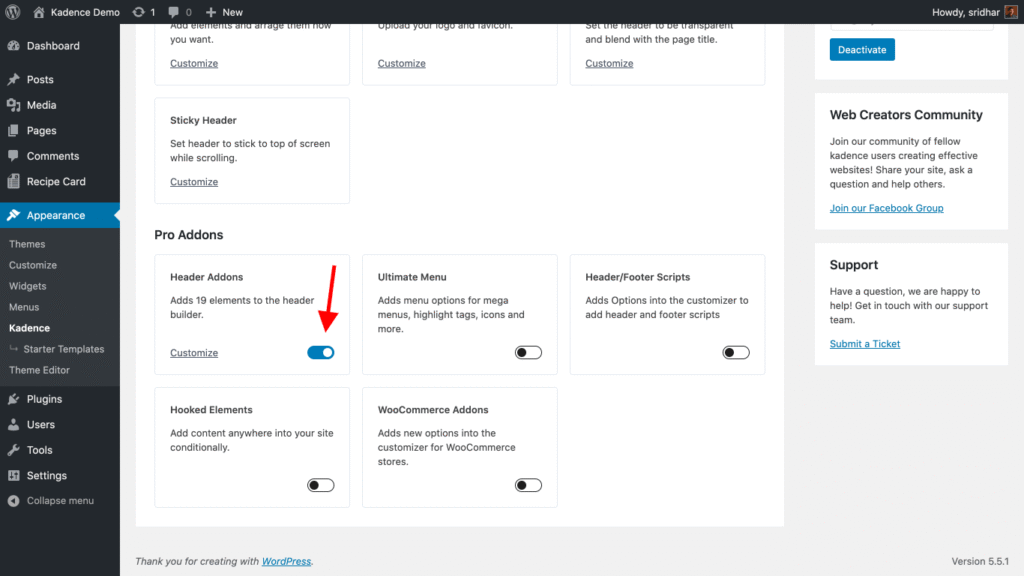
Kadence Blocks sits somewhere between the minimalist approach of GenerateBlocks and the large feature set of an all-in-one block suite.
It’s particularly strong when you want detailed control over layouts, spacing, typography and responsive behavior.
The Row Layout functionality is one of its biggest strengths because it gives you more control over how sections and columns behave across different screen sizes.
Best for
- Business websites
- Designers
- Freelancers
- Agencies
- Users who care about responsive layouts
- Websites using the Kadence ecosystem
What we like
- Strong responsive controls
- Good layout-building capabilities
- Detailed typography and spacing settings
- Useful blocks for common business websites
- Good balance between flexibility and ease of use
What to consider
Kadence Blocks offers a lot of settings, which can take some time to understand.
It’s also worth considering whether you want to build your website around the broader Kadence ecosystem or simply use the block plugin with another theme.
Our verdict
Kadence Blocks is a strong middle ground for people who want serious design control without moving to a completely separate page builder.
If you’re building a business website where desktop, tablet and mobile layouts all need careful attention, it’s worth considering.
4. Stackable — Best for ready-made designs
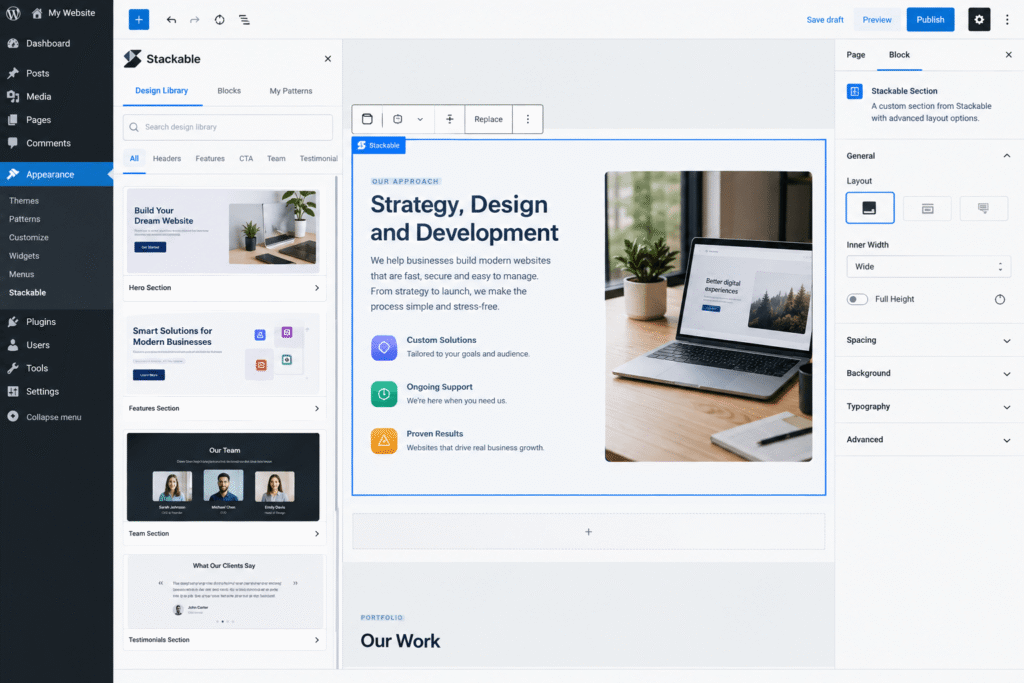
If GenerateBlocks is the minimalist option, Stackable is closer to the “give me beautiful components I can customize” end of the spectrum.
Stackable focuses heavily on design, pre-built layouts and UI kits, which makes it attractive for people who want to build polished pages without designing every section from scratch.
Best for
- Marketing websites
- Freelancers
- Designers
- Small businesses
- Users who want ready-made sections
- People who don’t want to build every component from scratch
What we like
- Strong visual design options
- Ready-made layouts
- Useful collection of content and layout blocks
- Good option for users who want a faster design workflow
- Plenty of customization options
What to consider
A large design library can be a double-edged sword.
It’s great when you need inspiration or want to build quickly, but you should still be selective about which blocks and design elements you actually use.
Your goal should be to build a consistent design system rather than creating a page where every section looks like it came from a different template.
Our verdict
Stackable is a good choice if visual design and speed of building matter more to you than having the leanest possible collection of blocks.
It’s especially useful for marketing pages where you want a polished result without starting every section from a blank canvas.
5. Essential Blocks — Best for a large free block library
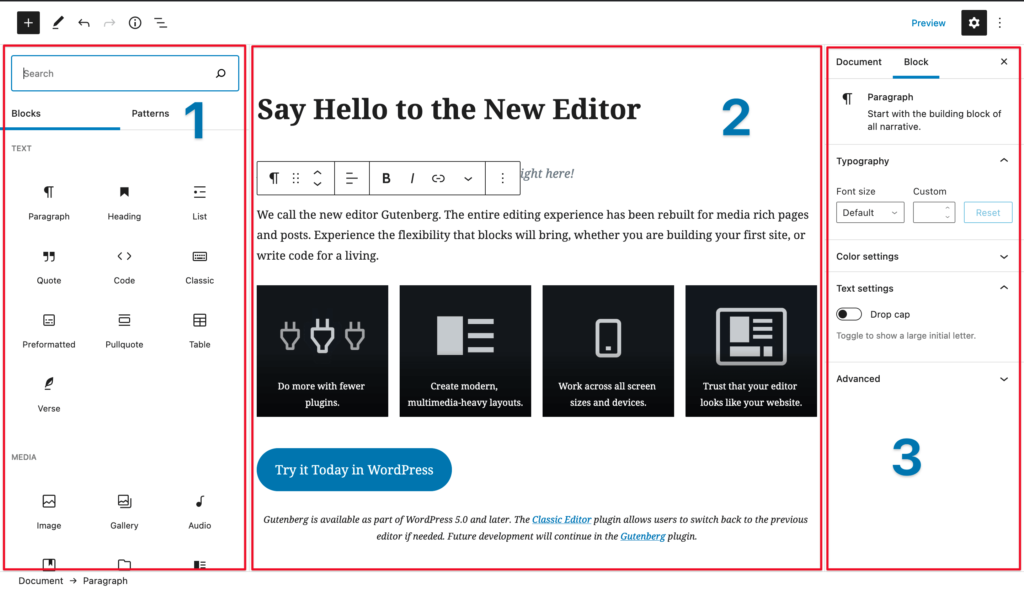
Essential Blocks is worth considering if your main priority is having access to a broad range of blocks without immediately paying for a premium plugin.
It covers many of the common building blocks you’ll need for business websites, content websites and landing pages.
Best for
- Beginners
- Small businesses
- Bloggers
- Users who want many block options
- People looking for a generous free starting point
What we like
- Large selection of blocks
- Good range of content and design components
- Useful free functionality
- Suitable for different types of websites
- Good option if you don’t want to commit to a premium suite immediately
What to consider
As with any large block library, don’t install a plugin simply because it has a large number of blocks.
Look at the blocks you actually need.
If you only need containers, grids and basic layout controls, a more focused plugin may be a better choice.
Our verdict
Essential Blocks makes the most sense when variety is important and you want to get a lot of functionality before committing to a paid plan.
It’s a particularly approachable option for users who want to experiment with different block types.
Gutenberg Block Plugins Compared
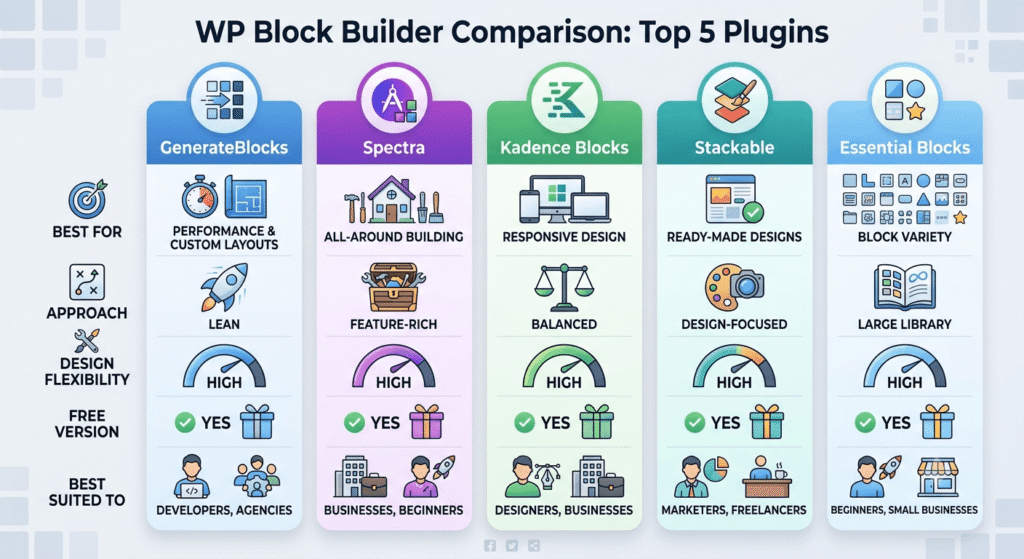
Here’s how we’d broadly compare these five options:
| Plugin | Best for | Approach | Design flexibility | Free version | Best suited to |
| GenerateBlocks | Performance & custom layouts | Lean | High | Yes | Developers, agencies |
| Spectra | All-around building | Feature-rich | High | Yes | Businesses, beginners |
| Kadence Blocks | Responsive design | Balanced | High | Yes | Designers, businesses |
| Stackable | Ready-made designs | Design-focused | High | Yes | Marketers, freelancers |
| Essential Blocks | Block variety | Large library | High | Yes | Beginners, small businesses |
Which Gutenberg block plugin should you choose?
There’s no single winner for every WordPress website.
Here’s how we’d narrow it down.
Choose GenerateBlocks if performance and control are your priorities
You don’t need 50 different blocks.
You want flexible layout tools, clean implementation and the freedom to build your own components.
Choose Spectra if you want an all-around toolkit
You want to build landing pages, business websites and content layouts without assembling several different plugins.
Choose Kadence Blocks if responsive design matters
You want detailed control over spacing, typography and layouts across desktop, tablet and mobile.
Choose Stackable if you want to build beautiful pages quickly
You’d rather start with polished designs and customize them than build every section from scratch.
Choose Essential Blocks if you want lots of options for free
You want to experiment with different block types and don’t want to commit to a premium solution immediately.
Do Gutenberg block plugins slow down WordPress?
They can, but there’s no universal rule that says a Gutenberg block plugin will make your website slow.
The impact depends on the plugin, the blocks you’re using, how assets are loaded, your theme, your hosting environment and the rest of your WordPress setup.
A few things are worth keeping in mind:
- Don’t install multiple block suites just because each one has a few blocks you like.
- Disable unused blocks where the plugin allows it.
- Avoid adding unnecessary animations and effects.
- Keep your plugins updated.
- Test the frontend rather than assuming a plugin is “fast” because its marketing page says so.
- Keep an eye on your Core Web Vitals after major changes.
A useful rule is simple:
Don’t judge a block plugin by its block count. Judge it by what your actual website needs.
A quick CodeCaste perspective
When you’re building a custom WordPress website, the block plugin is only one part of the performance equation.
Your theme, hosting, images, third-party scripts, plugins, database queries and frontend implementation all play a role.
That’s why we wouldn’t recommend choosing a plugin based purely on a “fastest Gutenberg plugin” list.
Look at the entire website.
If the site is already well built, a sensible block plugin can work perfectly well. If the underlying implementation is poor, switching block plugins probably isn’t going to magically fix the problem.
Gutenberg block plugin vs. page builder: which should you use?
This is another question that comes up often.
The WordPress block editor and modern block plugins can now handle a lot of what people previously needed a traditional page builder for.
Gutenberg + block plugin makes sense if you want:
- A more native WordPress experience
- Good performance potential
- A simpler editing experience
- Less dependence on a separate page-building system
- A website that uses WordPress’s native content structure
A dedicated page builder may make more sense if:
- Your team already works heavily in a specific page builder
- You need a particular visual workflow
- Your existing website is already built around that ecosystem
- You rely on features that aren’t available through the block editor
Neither approach is automatically better.
The right choice depends on the website, the people maintaining it and how much control you need over the frontend.
7 things to check before installing a Gutenberg block plugin
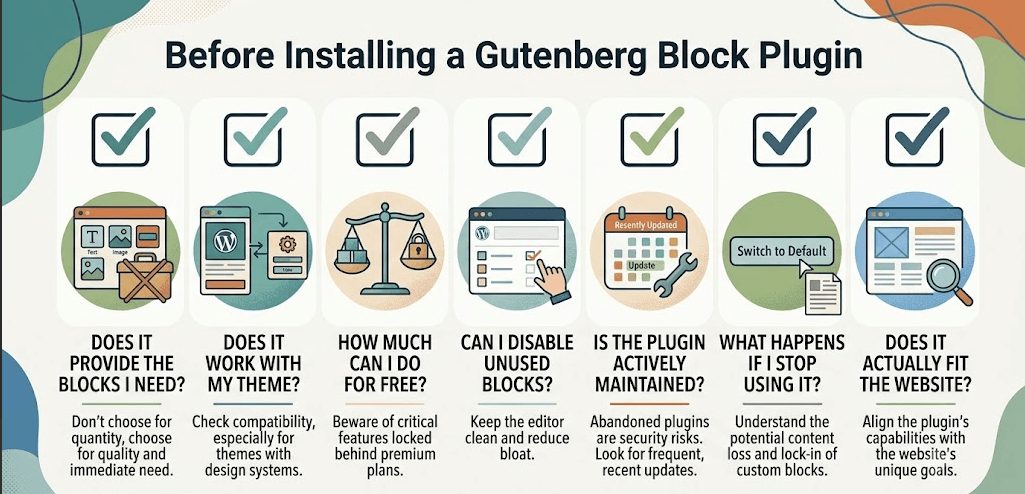
Before clicking “Install,” ask yourself:
1. Does it actually provide the blocks I need?
Don’t choose a plugin because it has 80 blocks if you only need five.
2. Does it work with my theme?
Especially important if you’re using a theme with its own design system.
3. How much can I do for free?
Some plugins put important functionality behind their premium plans.
4. Can I disable blocks I don’t use?
This can help keep the editor cleaner and reduce unnecessary functionality.
5. Is the plugin actively maintained?
WordPress changes continuously. An abandoned block plugin isn’t something you want at the center of your website.
6. What happens if I stop using it?
Before adopting a plugin for a large site, understand how much of your content depends on its custom blocks.
7. Does it actually fit the website?
This is the one people skip most often.
Don’t ask:
“Which is the best Gutenberg block plugin?”
Ask:
“Which Gutenberg block plugin makes the most sense for this website?”
That’s a much better question.
What happens if you deactivate a Gutenberg block plugin?
This is worth thinking about before you build an entire website around one plugin.
Deactivating a plugin doesn’t necessarily mean that the content stored in WordPress disappears.
However, blocks provided by that plugin may no longer render or remain fully editable in the same way.
That can leave you with a website that technically still contains the content but needs significant cleanup or rebuilding.
This is one reason we recommend thinking about portability before committing to a block ecosystem.
If you’re building a small blog, this may not be a huge concern.
If you’re building a large business website with hundreds of pages, it matters a lot more.
Can you use multiple Gutenberg block plugins?
Technically, yes.
But that doesn’t mean you should install three or four large block suites.
For example, you might prefer one plugin for layout controls and another specialist plugin for a specific feature you genuinely need.
That’s different from installing five block libraries and ending up with duplicate buttons, accordions, columns, tabs and containers everywhere.
Our general recommendation:
Start with one block system. Add another only when there’s a clear reason to do so.
This keeps the editor easier to manage and reduces the amount of plugin overlap on your site.
Frequently Asked Questions
1. What is the best Gutenberg block plugin for WordPress in 2026?
There isn’t one answer for every website.
GenerateBlocks is a strong choice for performance-conscious users and developers. Spectra is a good all-around option, while Kadence Blocks is particularly useful for detailed layout control. Stackable is strong for ready-made designs, and Essential Blocks is worth considering if you want a broad free block library.
2. Which Gutenberg block plugin is best for performance?
GenerateBlocks is one of the strongest choices if performance and a lean implementation are your priorities.
That said, the plugin alone doesn’t determine website performance. Your theme, hosting, images, third-party scripts and other plugins matter too.
3. Which Gutenberg block plugin has the most free blocks?
Essential Blocks is a strong option if the number of available free blocks is important to you.
However, block count shouldn’t be your only selection criterion. A smaller collection of flexible blocks can sometimes be more useful than a huge library of specialized blocks.
4. Are Gutenberg block plugins free?
Many Gutenberg block plugins offer free versions, usually with premium upgrades for additional blocks, design controls, templates or advanced features.
The important question isn’t simply whether the plugin is free.
Look at what you can actually build with the free version before choosing one.
5. Can I use multiple Gutenberg block plugins?
Yes, but we generally wouldn’t recommend installing several large block suites without a clear reason.
Choose one primary block system and add specialist plugins only when they solve a specific problem that your main plugin doesn’t.
6. Do Gutenberg block plugins slow down WordPress?
They can, depending on how they’re implemented and how they’re configured.
A block plugin is only one part of your site’s performance picture. Use only the functionality you need, disable unused blocks where possible and monitor your site’s actual frontend performance.
7. What happens if I deactivate a Gutenberg block plugin?
Plugin-specific blocks may stop rendering correctly or become unavailable for editing.
The content isn’t necessarily deleted, but your website may rely on the plugin to interpret and display those blocks properly.
For large websites, it’s worth testing this on a staging environment before making major changes.
8. Are Gutenberg block plugins better than Elementor?
Not necessarily.
Gutenberg and block plugins offer a more native WordPress editing experience and can be a great fit for performance-conscious websites.
Elementor and other page builders can be better for teams that prefer a more visual drag-and-drop workflow or rely on specific page-builder features.
Choose based on your website and workflow rather than assuming one approach is universally better.
Final verdict
The best Gutenberg block plugin isn’t necessarily the one with the most blocks.
It’s the one that gives you the functionality you actually need without making your website harder to build, maintain or evolve.
If we had to narrow the five down:
- GenerateBlocks is our pick for performance-focused, flexible builds.
- Spectra is a strong all-around option for users who want a broad toolkit.
- Kadence Blocks is excellent when responsive layouts and design controls are important.
- Stackable is a good choice for people who want polished designs and ready-made layouts.
- Essential Blocks is worth considering if you want a large selection of blocks without immediately paying for a premium solution.
And if you’re building a business website, don’t make the plugin decision in isolation.
Think about your theme, content structure, performance requirements, editing workflow and how easy the website will be to maintain two or three years from now.
That’s often more important than whether one plugin has 20 blocks and another has 50.
Building a custom WordPress website?
If you’re starting a new WordPress project and you’re not sure whether Gutenberg, a block plugin, a page builder or a completely custom approach makes the most sense, that’s something our team at CodeCaste can help you figure out.
We build custom WordPress websites around the actual requirements of the business rather than forcing every project into the same theme or page-builder setup.