
You stay in control
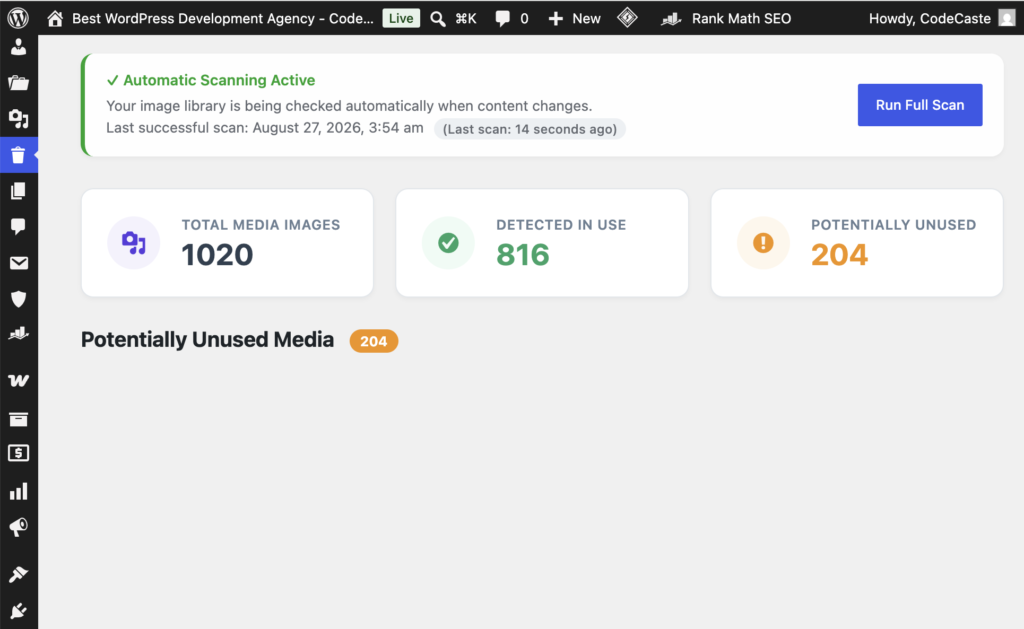
You approve every deletion. Nothing auto-removes. On a client live site before a launch, that one pause is the difference between a clean library and a broken product page.
901, Shapath V, Sarkhej - Gandhinagar Hwy, opp. Karnavati Club Road, Prahlad Nagar, Ahmedabad, Gujarat 380015.
Call On Mail UsMedia libraries fill up quietly between redesigns. This plugin finds what looks unused, then waits for you before anything is deleted.
You approve every deletion. Nothing auto-removes. On a client live site before a launch, that one pause is the difference between a clean library and a broken product page.
Scanning runs in batches and builds a reference index first. A library with 10,000 uploads finishes without killing your PHP session. We built this for the sites where the cleanup job has been on the list for two years.
If a reference lives only in JavaScript, a CSS file, or custom theme PHP, we cannot confirm it. So we label it honestly. Overconfident cleanup tools have caused real data loss. This one does not pretend.
The screens you will actually click through after install. No hero image repeats here.
Every WordPress site collects media the way a workshop collects spare screws. A redesign leaves old hero images behind. A client swaps logos three times. A page builder draft never ships, but the uploads stay.
Unused Media Finder & Cleaner grew out of that mess. We needed a way to find Media Library files that no longer show up in the places we can actually scan: posts, pages, meta, ACF, WooCommerce, Elementor, widgets, and settings. Then we needed a calm way to review them before anything gets deleted.
The scanner builds a reference index in batches, compares it to your attachments, and lists what looks unused. Nothing is removed automatically. You open the image, double-check, and delete only when you are sure. Results are labeled potentially unused on purpose. Dynamic references in JavaScript, CSS files, or hardcoded theme PHP are outside what a database scan can prove.
If you maintain client sites with media libraries in the thousands, this is the tool we wish we had on the first cleanup pass.
_elementor_data)The plugin never auto-deletes. Always verify an image before removing it, especially if your site uses offloaded/CDN media, custom page-builder tables, or images injected only by theme PHP or JavaScript. Developers can register extra scanners with the clean_unused_image_additional_reference_sources filter.
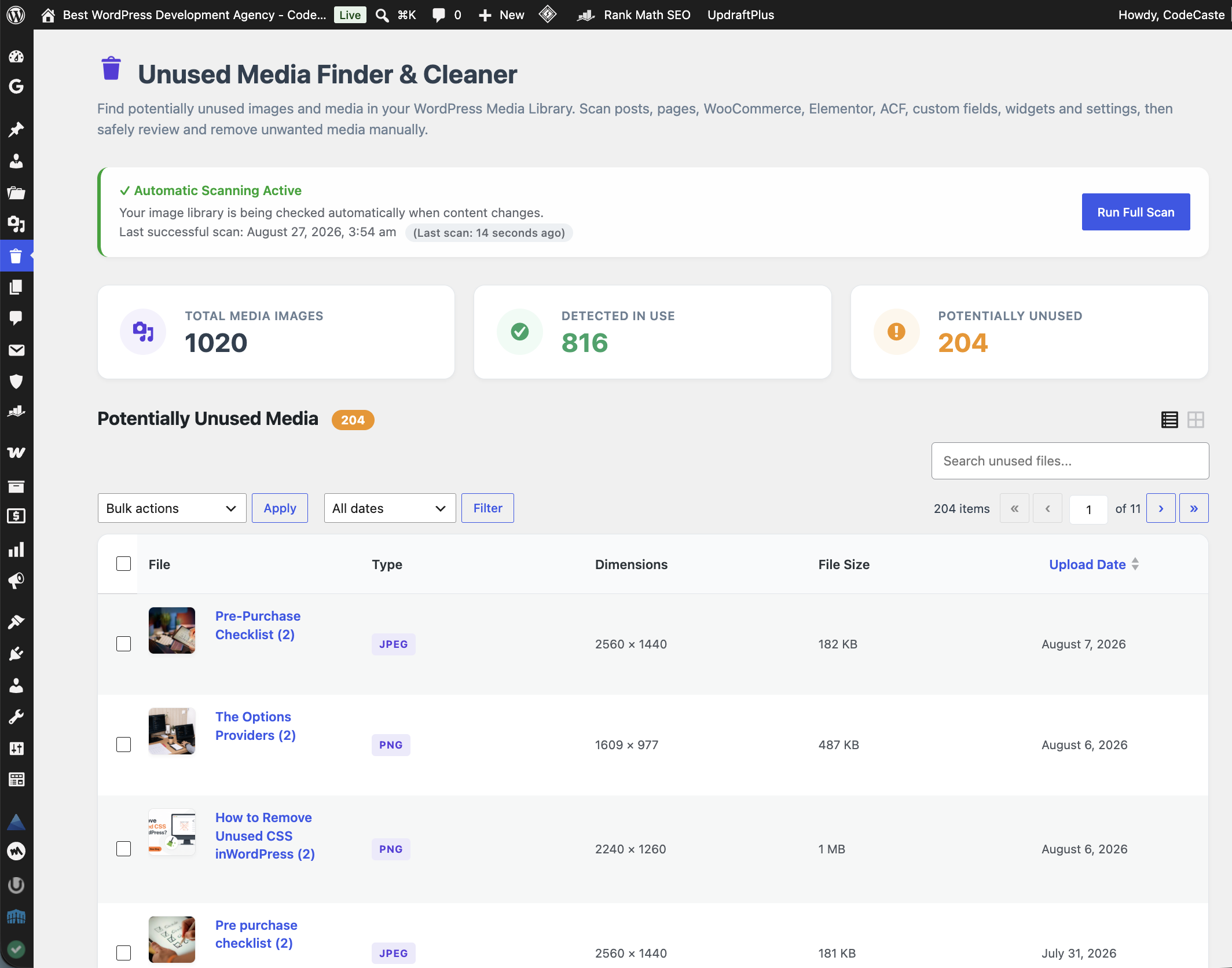
See total media, in-use count, potentially unused count, and last scan time without digging through the Media Library by hand.
Browse thumbnails, check file type, dimensions, and size, open the native attachment panel, then delete only what you trust.
Filter by filename or upload date while you work through the cleanup, without reloading the page.
A progress bar shows the current phase so long scans on big sites feel less like a black box.
Scans posts, pages, WooCommerce, Elementor, ACF, custom fields, widgets, and settings before you clean.
Everything you need to know before you install it on a client site.
Install Unused Media Finder & Cleaner, open Unused Media in wp-admin, and let the scanner build a reference index. It lists Media Library files with no detectable references across posts, pages, meta, WooCommerce, Elementor, ACF, widgets, and settings.
No. Results are labeled potentially unused. The scanner cannot see references that live only in theme PHP, CSS files, or JavaScript. Always open and verify a file before you delete it.
Deletions use WordPress wp_delete_attachment, so files and metadata are removed the normal way. The plugin never auto-deletes. Review thumbnails, open the attachment panel, and delete only what you are sure about.
Yes. Scanning runs in batches and builds an index first, which is designed for libraries with thousands of images without relying on one expensive query per file.
It scans standard WooCommerce product imagery in post meta, Elementor _elementor_data, and ACF-stored references, along with posts, pages, widgets, and settings the scanners can reach.
Possibly. If URLs no longer contain the local uploads path, the URL scanner may miss them. Attachment ID based scanners still help for Gutenberg and allowlisted shortcodes. Verify carefully on offloaded sites.
It has not been tested on Multisite. It operates on the current site tables only. Do not use network-wide until compatibility is verified.
Open the Potentially Unused Media list, search or filter if needed, review each file, then delete one by one or in bulk. Keep a backup before large cleanups.
This is not a ticket that lands in a void. Someone on this team wrote the scanner you just ran, and they still read what comes in.
Walk us through the last thing you did before it failed. We will look for the conflict with you, not send you a canned reply.
If you caught yourself wishing it did something else on a client call, tell us. Those notes from real shops shape the next version.
Ask before you run a cleanup on production. A five-minute question now is cheaper than rolling a live library back on Friday.
Found a bug after a scan, need a change, or have feedback before this goes on a client site? Send it over. We read these ourselves.
901, Shapath V, Sarkhej - Gandhinagar Hwy,
opp. Karnavati Club Road, Prahlad Nagar,
Ahmedabad, Gujarat 380015.
Send us a note
Grab what is ready, follow what is cooking, and tell us what you would use on your next client site.
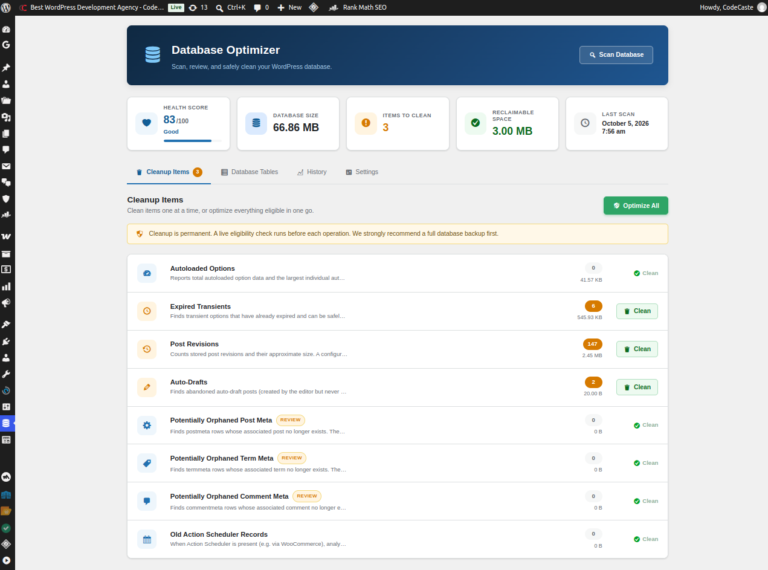
Find out what is bloating your WordPress database, then clean it safely. Scan, review and clean in batches,…
See details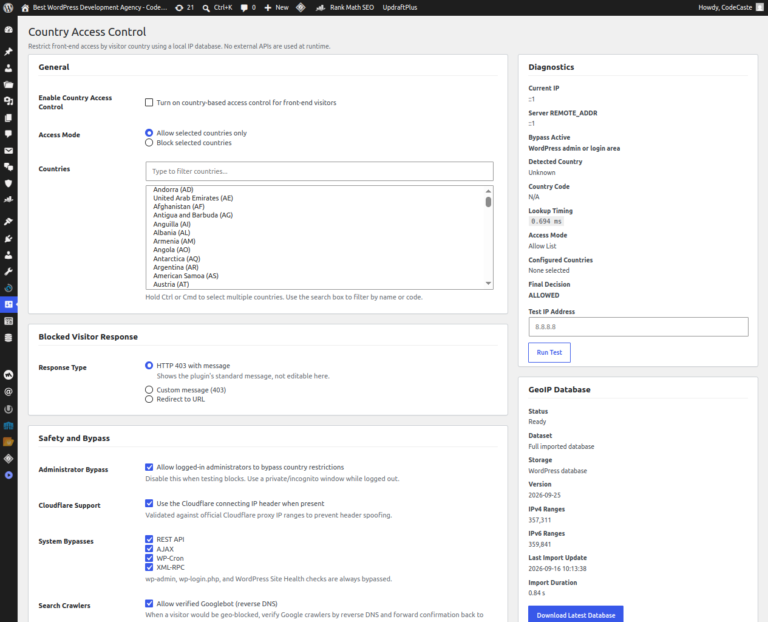
Control website access by visitor country using a local IP geolocation database, with safety bypasses, diagnostics, and controlled…
See detailsTell us where to send the secure download link. One email, then the file is yours.
Your download link is on the way. Check your inbox and spam folder for an email from CodeCaste.