




Astro has been getting a lot of attention, and for good reason.
It is a modern web framework built for content-driven websites. Its islands architecture lets most of a page remain HTML, with JavaScript added only where interactivity is needed.
For developers who want control over the frontend and a strong performance starting point, Astro is worth considering.
That raises a fair question: Can Astro replace WordPress?
Technically, yes. You can build a website with Astro without using WordPress. But that doesn’t mean they’re direct, like-for-like alternatives.
The confusion starts when people compare them as if they do the same job.
Astro is a web framework for building a website’s frontend. WordPress is a content management system (CMS) that gives people a place to create, organise, edit and publish website content.
One focuses on how a website is built and presented; the other also provides the tools people use to manage what appears on it.
Astro vs WordPress: Understanding the Key Differences
Imagine a company website with 30 service pages, 50 blog posts, 15 case studies, a team directory, testimonials, landing pages and downloadable resources. Several people update it throughout the month.
The company doesn’t just need a website that can display those pages. It needs a practical way to manage them.
Someone needs to draft a case study. Someone else needs to update a service page, upload an image or review a blog post before it goes live.
The marketing team needs to make routine changes without asking a developer to edit code every time.
That’s the kind of work a CMS is designed to support.
WordPress provides a dashboard and visual editor for managing content. It also includes user roles, content revisions and autosaves. Astro doesn’t try to provide the same all-in-one content management experience by itself.
Astro’s own documentation explains that you can connect a CMS to an Astro project to manage content, collaborate with others and edit through a visual interface. Astro then retrieves that content and controls how it appears on the site.
So the key distinction is simple:
Astro can work with a CMS. On its own, it isn’t a WordPress-style CMS.
That doesn’t make Astro worse. It means you need to compare the complete setup you’re proposing, not just the frontend technology.
Astro vs WordPress: Replacing the Frontend vs the Entire CMS.
This is where much of the confusion comes from.
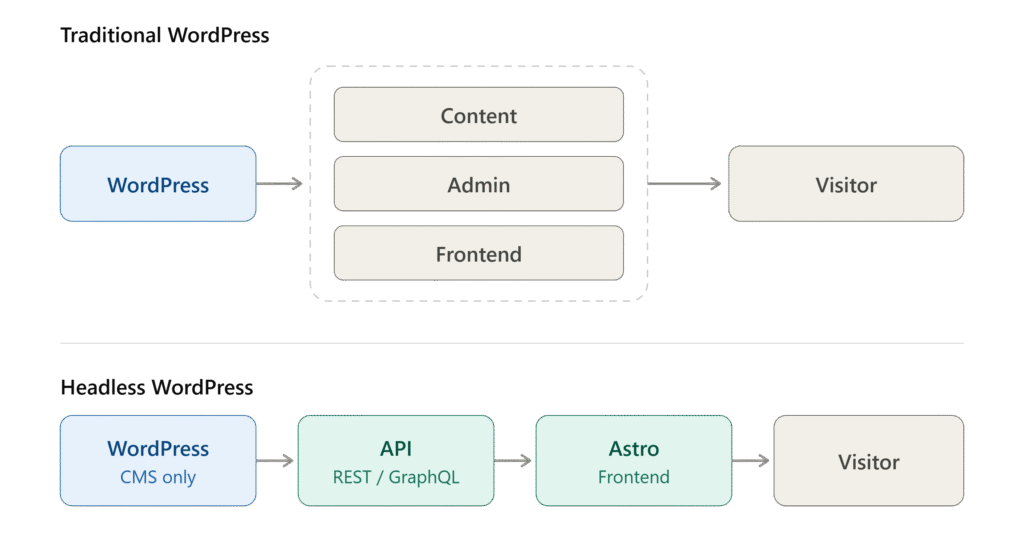
A traditional WordPress site combines content management with a theme that displays the content:
WordPress dashboard and content → WordPress theme → visitor
With Astro and a separate CMS, the setup may look like this:
CMS → content API → Astro frontend → visitor
The frontend changes, but the content management layer still exists.
You can even keep WordPress as the CMS. WordPress provides a REST API that other applications can use to retrieve content, and Astro’s documentation explains how to use an existing WordPress site in an Astro project.
Other integrations, including GraphQL through tools such as WPGraphQL, are also possible.
So if someone says, “We can replace WordPress with Astro,” ask one question:
Which part of WordPress are we replacing?
If they mean the frontend, absolutely. If they mean the whole content management and publishing workflow, that’s a different project altogether.
What Makes WordPress More Than a Website Builder?
A WordPress website is more than a collection of PHP templates. The CMS includes practical tools that businesses can easily take for granted because they’re already there.
1. A visual content editor
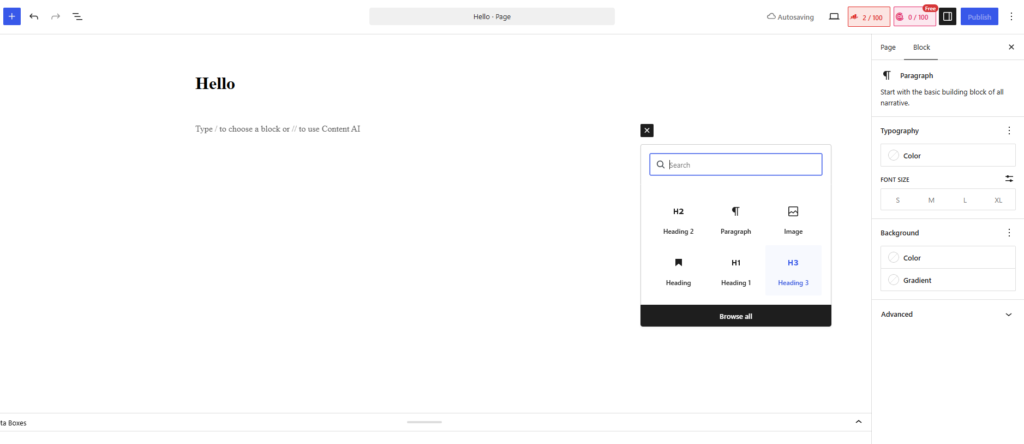
WordPress’s Block Editor lets people create and edit content using blocks for text, headings, images, embeds and other elements. Developers can also create custom blocks or extend the editor.
That makes it possible to build an editing experience around the way a business works. For example, a case study might have fields for the client, industry, challenge, solution, results, testimonial and featured image. The marketing team can update those fields without editing the underlying code.
You can create a similar experience for an Astro site, but something else has to provide the content editor. That could be WordPress or another CMS.
Astro can render the finished page. It doesn’t automatically provide the editorial interface used to create it.
2. User roles and permissions
As soon as several people manage a website, permissions become important.
A business might have writers, editors, marketing managers, administrators, developers and an external agency. Not everyone should be able to publish content, change site settings or manage users.
WordPress includes a role and capability system, with standard roles such as Administrator, Editor, Author, Contributor and Subscriber. Those permissions can also be extended or customised.
If you build an Astro site with a separate CMS, that CMS needs to provide the roles and permissions your team requires. Astro itself isn’t responsible for this part of the workflow.
3. Revisions and content recovery
Imagine someone updates a service page and accidentally removes an important section. A week later, the team realises the mistake.
WordPress’s revision history lets editors review earlier versions of content and restore one when needed. It also supports autosaves for posts and pages.
Astro projects can use Git to track changes to code and files. But a developer’s version-control workflow isn’t the same as a content editor’s revision history.
A marketer may not want to open a repository or ask a developer to restore a previous version. They may simply want to open the CMS, find the earlier copy and restore it.
If you move away from WordPress, make sure the new editing workflow covers this need. Don’t assume it will be included automatically.
4. Structured content
WordPress supports custom post types and taxonomies, so a site can organise information into meaningful content types instead of treating every page as a one-off document. Its REST API can also expose content and related resources to other applications.
For example, a site might have structured content for:
Services
- Service name
- Description
- Features
- Related industries
Case studies
- Client
- Industry
- Services provided
- Challenge
- Results
Team members
- Name
- Position
- Bio
- Photo
- LinkedIn profile
This structure makes content easier to organise, reuse and display in different places.
Astro can work with structured data just as well. The question is where that data lives and who maintains it. It could come from WordPress, another CMS, a database or local content files.
Astro handles the presentation; the content source and editing workflow depend on the architecture you choose.
5. Media management
Business websites contain more than text. Teams manage images, PDFs, videos, logos and downloadable resources, too.
WordPress includes a media library where editors can upload and manage assets. With Astro, the approach depends on the project: a connected CMS might manage media, while a file-based site might keep assets in the project repository or another storage service.
Neither approach is inherently wrong. But they offer different experiences for the people who maintain the site.
If a marketing team regularly adds and replaces media, consider how it will do that after the migration. A technically sound frontend is only part of the picture.
Astro vs WordPress CMS: Where Will You Manage Your Content?
This is one of the most important questions to answer before planning a migration.
Suppose a developer says, “We can rebuild this WordPress site in Astro and get rid of WordPress.”
Ask: Where will the marketing team edit the content?
If the answer is Markdown files, that can work well for a developer-managed site or a project where content changes infrequently. But it’s a different workflow from editing pages through the WordPress dashboard.
If the answer is a headless CMS, you haven’t eliminated content management. You’ve chosen another system to handle it.
If the answer is headless WordPress, WordPress is still part of the setup.
Astro can absolutely power a website without a traditional CMS. Its built-in support for Markdown and other content sources makes that possible.
The point isn’t that every Astro site needs a separate CMS. It’s that the decision should reflect how the website will be managed after launch.
Don’t ask only, “Can Astro build this website?”
Ask: “Where will the people who manage this website work, and what will their day-to-day workflow look like?”
That question will tell you much more about whether the proposed setup is a good fit.
Astro vs WordPress Performance: What Really Makes a Website Faster?
Astro has a genuine strength here.
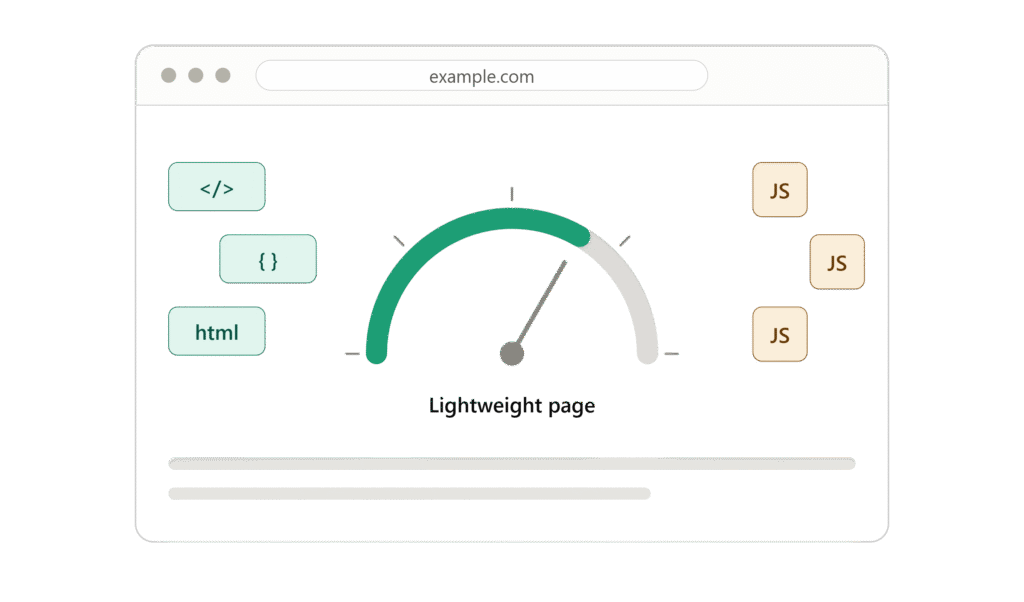
Its islands architecture is designed to keep most of a page as HTML and send client-side JavaScript only for components that need it. For content-driven websites where much of the page is static, that can be an excellent starting point.
But it doesn’t automatically make WordPress obsolete, and it doesn’t guarantee that every Astro site will be faster than every WordPress site.
WordPress performance depends on how the site is built and run: theme quality, plugins, JavaScript, images, fonts, caching, hosting, database queries and third-party scripts can all make a difference.
Astro projects also need to be implemented thoughtfully, particularly when they rely on dynamic features, client-side scripts or external services.
A poorly built WordPress site can be slow. A well-built WordPress site can be fast. An Astro site can perform very well, but the outcome still depends on the implementation and the requirements.
So “Astro is faster” isn’t enough, by itself, to justify replacing WordPress. It may be a good reason to consider Astro for a particular project. Those are two different claims.
Start with measured performance problems and the business requirements. If WordPress is slow, find out why before assuming a framework migration is the only answer.
Astro vs WordPress: Handling Complex Websites and Content Workflows
A small website may be straightforward to rebuild. But business websites often grow.
A company might start with a home page, an About page, a few service pages and a contact form.
Two years later, it may need a large blog, case studies, resource downloads, location pages, landing pages, CRM integrations, marketing automation, site search, e-commerce or customer accounts.
Astro can still be the frontend in that scenario. The challenge is designing and maintaining the systems around it.
Where does the data live? Who updates it? How do previews and publishing work? How are forms processed? How does search work? How can the marketing team create landing pages? How are redirects and integrations maintained?
These aren’t necessarily problems with Astro. They’re architecture questions that need clear answers.
The more a website does, the more important it becomes to consider the whole platform rather than choosing a frontend framework in isolation.
Astro and Headless WordPress: How They Work Together
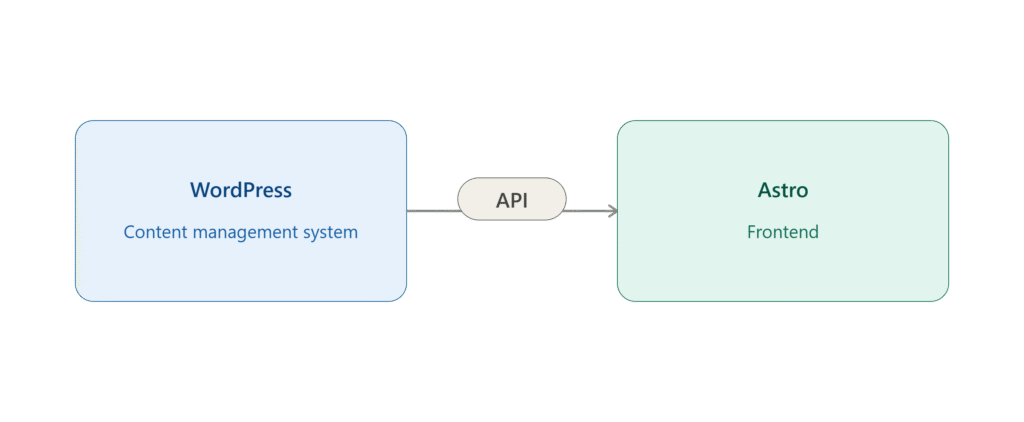
The discussion doesn’t have to be “Astro versus WordPress.” They can serve different roles in the same project.
In a headless setup, WordPress manages content while Astro handles the frontend. WordPress can continue to provide the dashboard, users, editorial workflow, content storage and media management. Astro controls the components and how pages are rendered for visitors.
This can be a sensible approach when a project has a clear reason to separate content management from presentation. For example, a team might want to retain its familiar WordPress editing workflow while adopting Astro for a custom frontend.
There is a trade-off: the team now has to build, deploy and maintain a separate frontend alongside the CMS. The architecture may also require extra work for previews, caching, content updates and integrations.
That extra complexity can be worthwhile for the right project. For a small business site that rarely changes and has no special frontend requirements, it may be more than the business needs.
The question isn’t whether headless architecture is good or bad. It’s whether its benefits justify the extra work for this particular website.
Can Astro Replace WordPress? Understanding the True Cost
Development cost is only one part of a migration.
Imagine a business has a WordPress website that its marketing team already knows how to use. The team can create pages, publish posts, upload images, review changes and update information without asking a developer for help.
After a migration, the frontend might be technically excellent, but the team still needs a practical way to do all of those things.
Will people need training? Will routine changes require developer support? Is a new CMS needed? Will hosting and deployment become more involved? Will content previews work as expected? Will existing integrations need to be rebuilt? Who will maintain the new setup in a few years?
Those are real considerations, even if they don’t appear in a PageSpeed score.
An Astro project might reduce some costs or make certain technical tasks easier. It could also introduce new costs through a separate CMS, custom functionality or additional maintenance. The result depends on the architecture and how the business uses its website.
Before recommending a migration, compare the full cost of ownership—not just the initial build or hosting bill.
Developer availability is part of the decision
Long-term ownership matters, especially for small and mid-sized businesses.
WordPress has a large installed base and an established ecosystem of themes, plugins, agencies and developers. That can make it easier to find help when an agency closes, a developer leaves or the business needs to change providers.
W3Techs reported in October 2026 that WordPress was used by about 40% of all websites it measured and accounted for roughly 58.5% of websites where the CMS could be identified. Those figures demonstrate WordPress’s broad adoption; they do not directly measure the number or quality of available developers.
Astro has an active and growing developer community, but its ecosystem is smaller than WordPress’s. That may be perfectly fine for a team with the right expertise. For a business that expects to change suppliers over time, however, the availability of people who can take over the project is worth considering.
This isn’t an argument to avoid Astro. It’s a reminder to consider who will own and maintain the site after launch.
Astro vs WordPress: Why Developer Availability Matters
There are plenty of situations where Astro deserves serious consideration.
1. Your team wants more control over the frontend
Astro gives developers a modern framework and a clear way to manage how and where client-side JavaScript is used.
2. Performance is a key requirement
Its architecture can be particularly useful for content-heavy websites where most of the page doesn’t need client-side JavaScript. The actual results still depend on implementation and measurement.
3. Your content already lives in another system
If you already have a suitable CMS or structured content source, Astro can use that content rather than forcing you to move everything into WordPress.
4. The site is developer-managed
If content changes are infrequent and developers already handle publishing, a traditional CMS may be less important. Make sure that workflow will remain practical as the site grows.
5. The project calls for a custom frontend
If the design or technical requirements are better served by a modern framework, Astro can be a strong choice.
None of these situations requires WordPress to be bad. They simply mean Astro’s strengths may be more relevant to the project.
Why WordPress May Be the More Practical Choice for Your Business
WordPress remains a strong option when:
- The marketing team updates the website regularly.
- Several people need different levels of access.
- Editors want a visual interface for managing content.
- The site relies on structured content types and publishing workflows.
- The business depends on WordPress plugins or integrations.
- Staff need to make routine changes without involving developers.
- The company wants to keep using a familiar CMS.
- Access to a large ecosystem of WordPress developers and tools matters.
WordPress’s editor and extension model are designed to support these kinds of workflows. And choosing WordPress doesn’t mean giving up on a technically strong, well-performing website. The quality of the implementation still matters.
So, Can Astro Replace WordPress Completely?
It can be, but not as a like-for-like replacement in every situation.
Astro can replace the frontend of a WordPress site, and it can also power a website without WordPress at all. But if you remove WordPress, you still need to decide how content will be stored, edited, reviewed, organised and published.
You may handle those needs with another CMS, a file-based workflow or a custom system. All of those approaches can be valid, depending on the project.
The more useful comparison is often not simply Astro vs WordPress, but an Astro-based setup versus a traditional WordPress setup. That comparison should include the CMS, integrations, editing workflow, development effort and long-term maintenance and not just the frontend.
Frequently Asked Questions
1. What is the main difference between Astro and WordPress?
Astro is a web framework for building website frontends, while WordPress is a content management system (CMS) that lets users create, edit, organize and publish website content.
2. Is Astro faster than WordPress?
Astro is designed to reduce unnecessary JavaScript, which can improve frontend performance. However, a well-built WordPress website can also be fast. Actual performance depends on the implementation and website requirements.
3. Is Astro suitable for business websites?
Yes. Astro can be a good choice for performance-focused websites, developer-led projects and websites that use an existing CMS or structured content source.
4. Should I choose Astro or WordPress for my website?
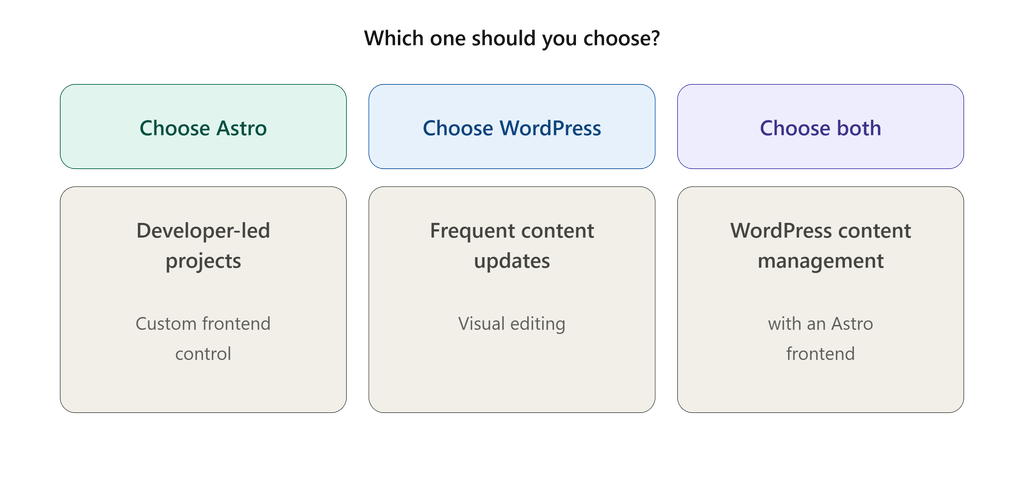
Choose Astro if frontend control, performance and a developer-led workflow are your priorities. Choose WordPress if you need a familiar content management system that allows your team to manage website content independently. You can also combine both when the benefits justify the additional complexity.
The bottom line
We like Astro. For the right project, it can be an excellent framework. Its performance-focused architecture and flexibility around content sources give developers a lot of control.
But we wouldn’t recommend replacing WordPress simply because Astro is newer or because it’s assumed to be faster.
Start with the business requirements.
If the site is primarily a developer-managed frontend, Astro may be a great fit. If the marketing team needs to manage content every week without relying on developers, WordPress still solves a very practical problem. And if you want WordPress for content management and Astro for the frontend, you can use both.
Astro doesn’t have to replace WordPress to be useful. The better choice is the setup that fits the website, the people managing it and the business behind it.
Want to compare the two across performance, SEO, security, maintenance, cost and long-term ownership? Read our complete guide: Astro vs WordPress: Which Is Better for Your Business Website?