901, Shapath V, Sarkhej - Gandhinagar Hwy, opp. Karnavati Club Road, Prahlad Nagar, Ahmedabad, Gujarat 380015.
Call On Mail UsGutenberg blocks have become essential tools for building stunning and highly functional WordPress websites with ease. The Gutenberg block editor allows users to create dynamic, visually engaging pages using intuitive drag-and-drop blocks—without any coding. To further enhance this experience, Gutenberg block plugins add powerful features, flexible layouts, and pre-designed blocks, making them some of the most useful WordPress plugins for creating professional websites faster and more efficiently.
In this article, we’ll explore the top 5 Gutenberg block plugins for 2026, highlight their key features, and help you choose the best option to elevate your WordPress site.

Gutenberg blocks are modular content units within the WordPress editor, allowing you to add images, videos, text, forms, tables, call-to-actions, and more with ease. Unlike the classic editor’s single text box, blocks enable:
This modular approach empowers you to create highly personalised and engaging pages efficiently.
Gutenberg block plugins extend the default editor by adding new blocks or enhancing existing ones. When you install these plugins, you get additional content elements and design tools, including:
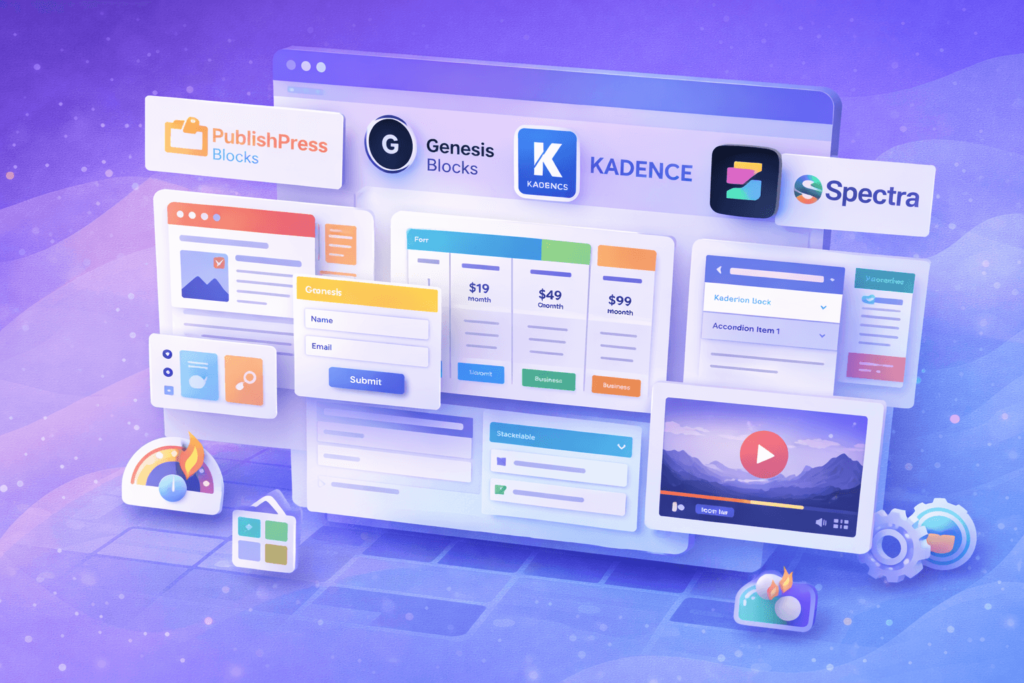
Ideal for: Blogs, magazines, and corporate websites needing advanced layouts.
Features:
Price: Free; Pro version from $49/year.
Ideal for: Users seeking visually appealing, speed-optimised page sections.
Features:
Price: Free; Genesis Pro at $360/year with full theme access.
Ideal for: Designers focused on performance and complex layouts.
Features:
Price: Free; Pro starts at $89/year.
Ideal for: Users wanting a lightweight page builder with design kits.
Features:
Price: Freemium; Premium starts at $49/year.
Ideal for: Users who want advanced design blocks and pre-built templates.
Features:
Price: Free.
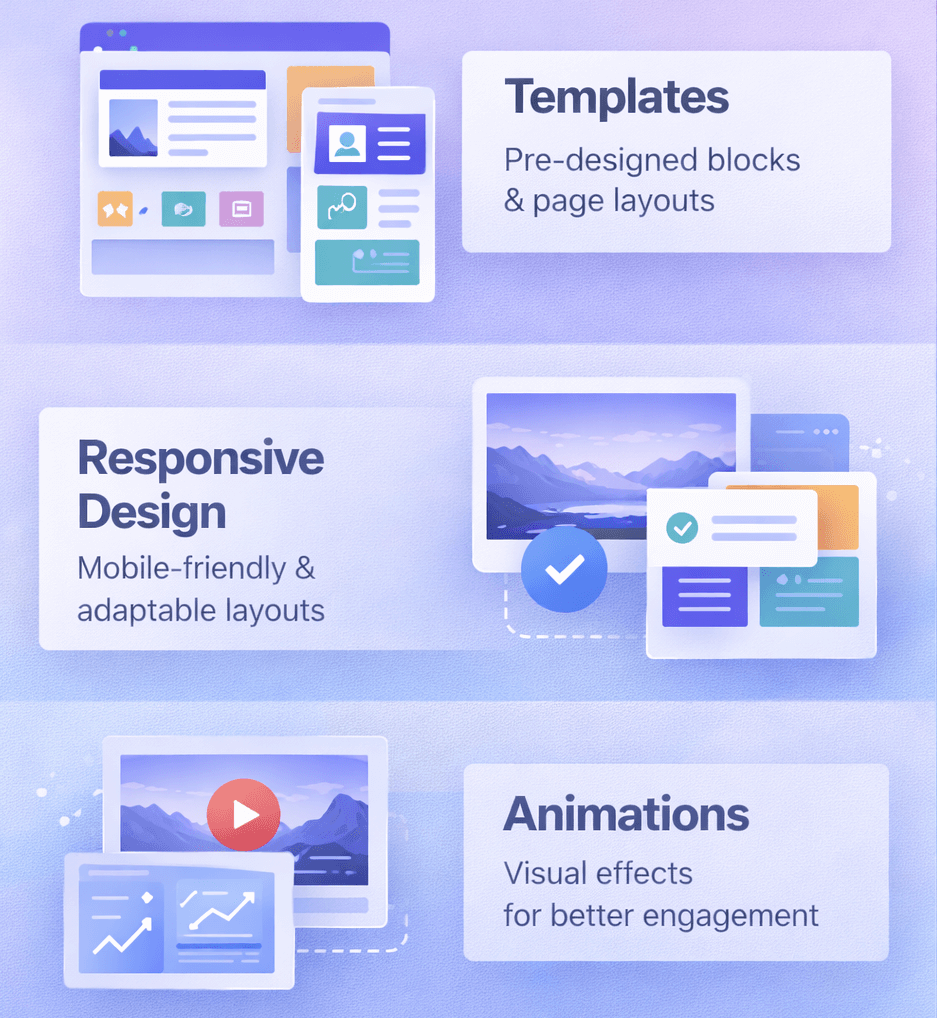
Choosing the right website platform is crucial for your online presence. While WordPress powers over 40% of the web, it’s not the perfect fit for everyone. Whether you’re a beginner looking for simplicity or a business seeking specific features, several excellent WordPress alternatives can help you build a professional website efficiently.
This guide explores the top alternatives in 2026, their features, pricing, and who should use them, so you can make an informed decision.
| Platform | SEO | Speed | SEO Tools | Best For | Starting Price |
|---|---|---|---|---|---|
| Wix | ★★★★☆ | Fast | SEO Wiz, meta tags, redirects | Beginners & small businesses | $16 / month |
| Squarespace | ★★★☆☆ | Moderate | Basic meta tags, XML sitemap | Creatives & portfolios | $16 / month |
| Webflow | ★★★★★ | ⚡ Very Fast | Meta tags, schema, clean code | SEO professionals & developers | $14 / month |
| Shopify | ★★★★☆ | Fast | Canonical URLs, meta editing | Ecommerce websites | $39 / month |
WordPress is a powerful and flexible platform that’s widely used across the web, but many sites suffer from plugin overload and performance issues. However, it does come with a learning curve, requires ongoing maintenance, and involves setting up your own hosting. Some users also move away from WordPress due to security vulnerabilities caused by outdated plugins.
By exploring WordPress alternatives, you can find platforms that:
These options can make building and managing your website more straightforward, depending on what you need.

When exploring WordPress alternatives, Wix stands out as a user-friendly website builder, especially ideal for beginners who want to create a website without any coding knowledge. Its intuitive drag-and-drop editor makes it easy to design professional-looking websites quickly and effortlessly, making it a great choice for those seeking simplicity and speed.
Key Features:
Pros:
Cons:
Pricing Plans (2026):
Who Should Use Wix?
Ideal for users seeking visually attractive websites without coding. Great for portfolios, personal blogs, and small business sites.

Squarespace provides a complete website builder experience with hosting included, ideal for users prioritising design and aesthetics.
Key Features:
Pros:
Cons:
Pricing Plans (2026):
Who Should Use Squarespace?
Perfect for personal brands, small businesses, and creatives who want a polished online presence without technical setup.
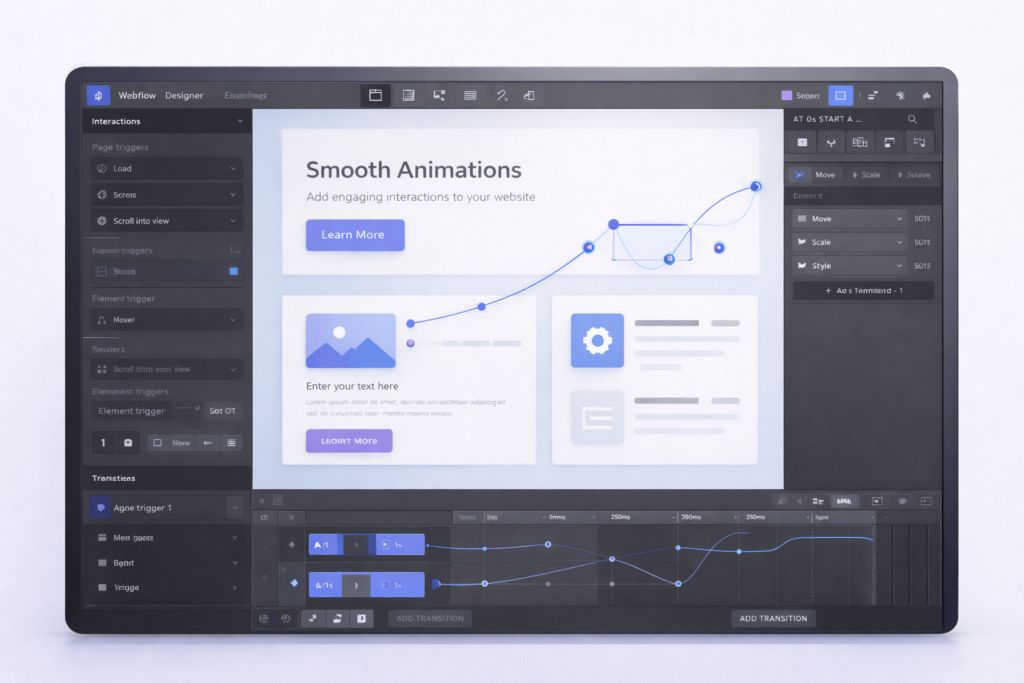
Webflow is a designer-focused platform that blends visual editing with full control over code. It’s ideal for agencies or freelancers who want customizable, responsive, and professional websites.
Key Features:
Pros:
Cons:
Pricing Plans (2026):
Who Should Use Webflow?
Best for designers, agencies, and businesses needing highly customised websites with advanced interactions.
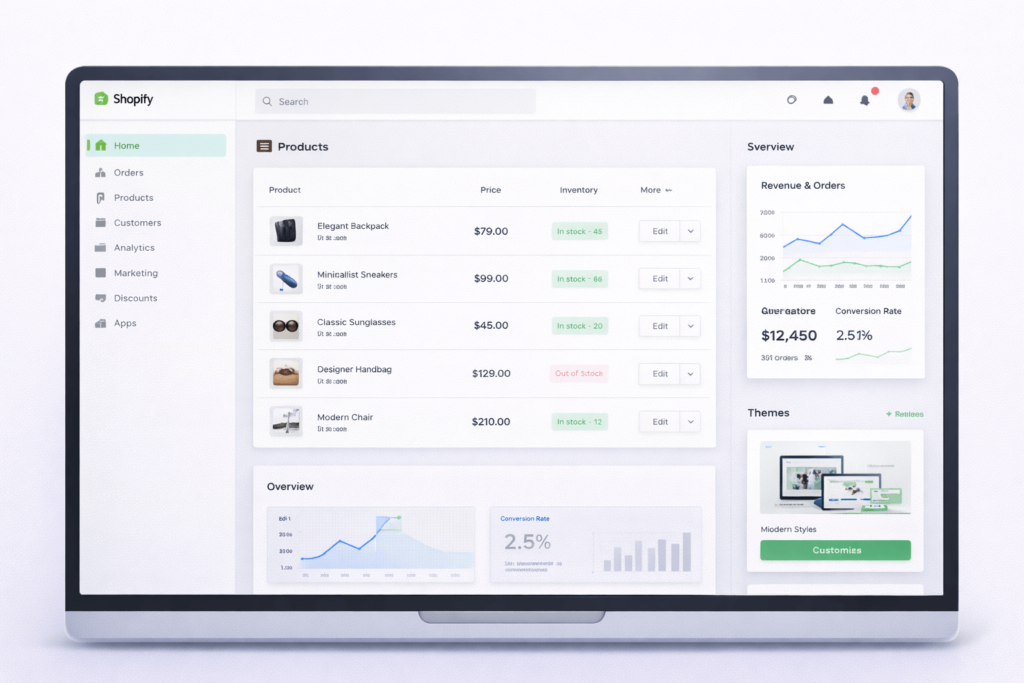
Another strong WordPress alternative is Shopify, the leading e-commerce platform optimised for online stores of all sizes. It offers everything you need—from product management to secure checkout and detailed analytics—making it an excellent choice for businesses focused on selling products online.
Key Features:
Pros:
Cons:
Pricing Plans (2026):
Who Should Use Shopify?
Ideal for online retailers, drop-shippers, and businesses looking for a scalable e-commerce solution.
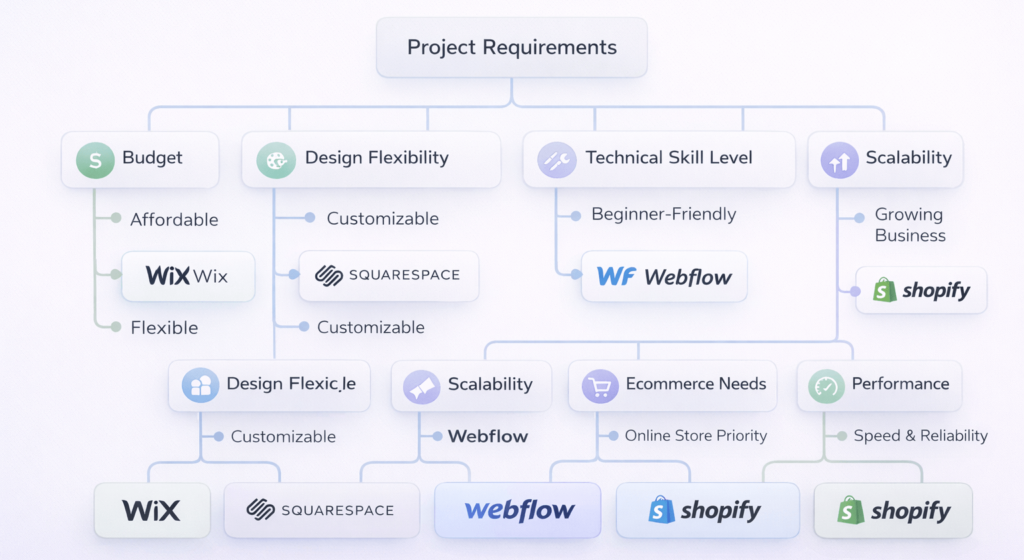
When choosing a WordPress alternative, consider:
Advanced users might combine multiple platforms for marketing, analytics, and e-commerce.
When evaluating different WordPress alternatives, make sure the platform you choose offers:
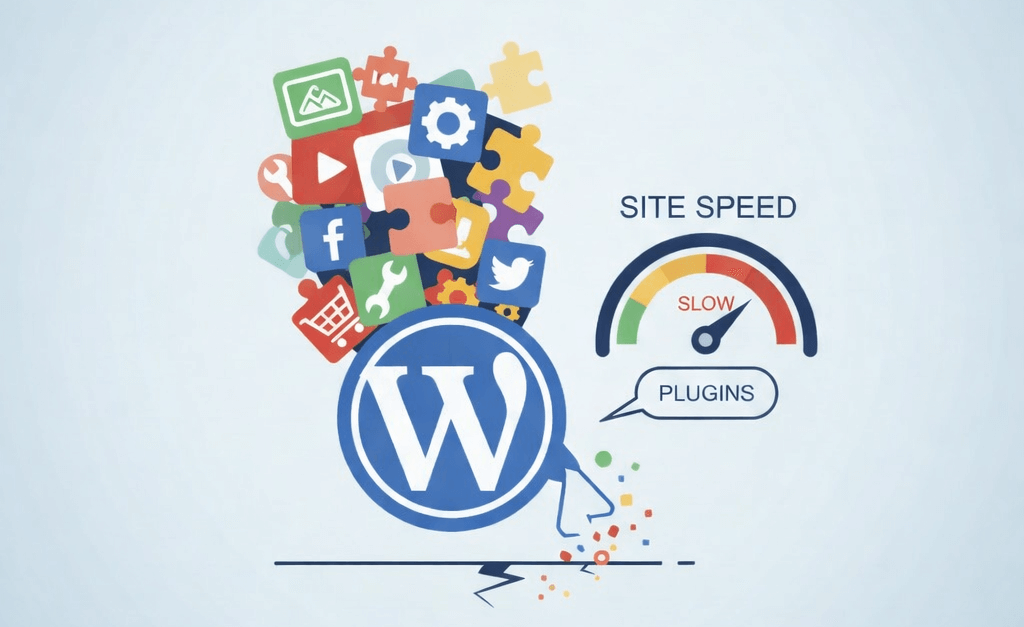
If your WordPress website feels slow, plugins are often the hidden reason. Plugins add powerful features without writing custom code, but too many—or poorly optimized—plugins can seriously hurt performance.
A slow website leads to:
In this guide, you’ll learn why WordPress plugins slow down your site and exact, practical steps to fix the problem, whether you’re a beginner or an advanced user.
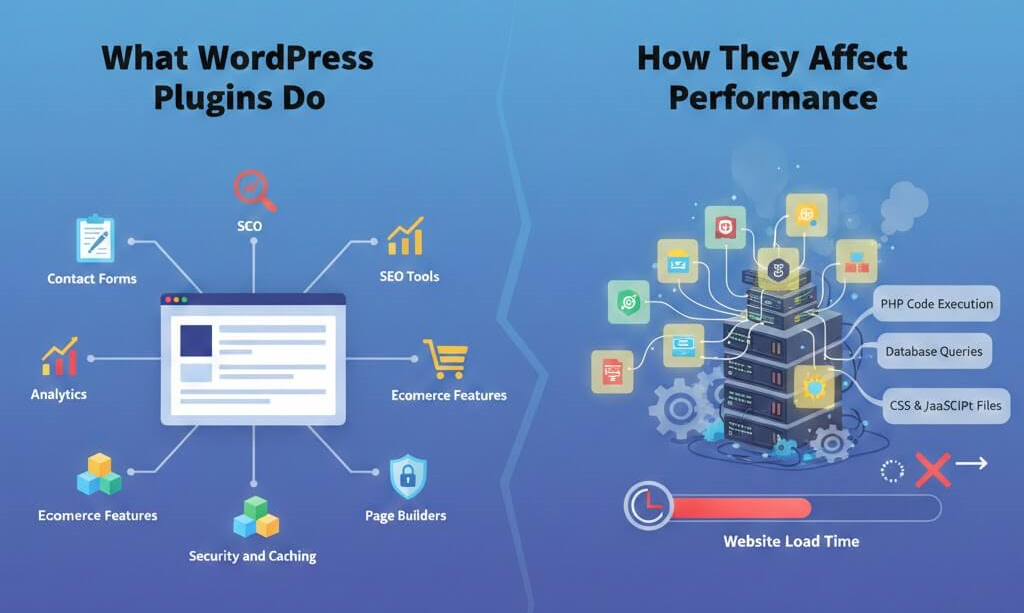
WordPress plugins extend your site’s functionality. They can add:
Each plugin adds:
When multiple plugins load on every page, your server and browser must work harder, increasing load time.
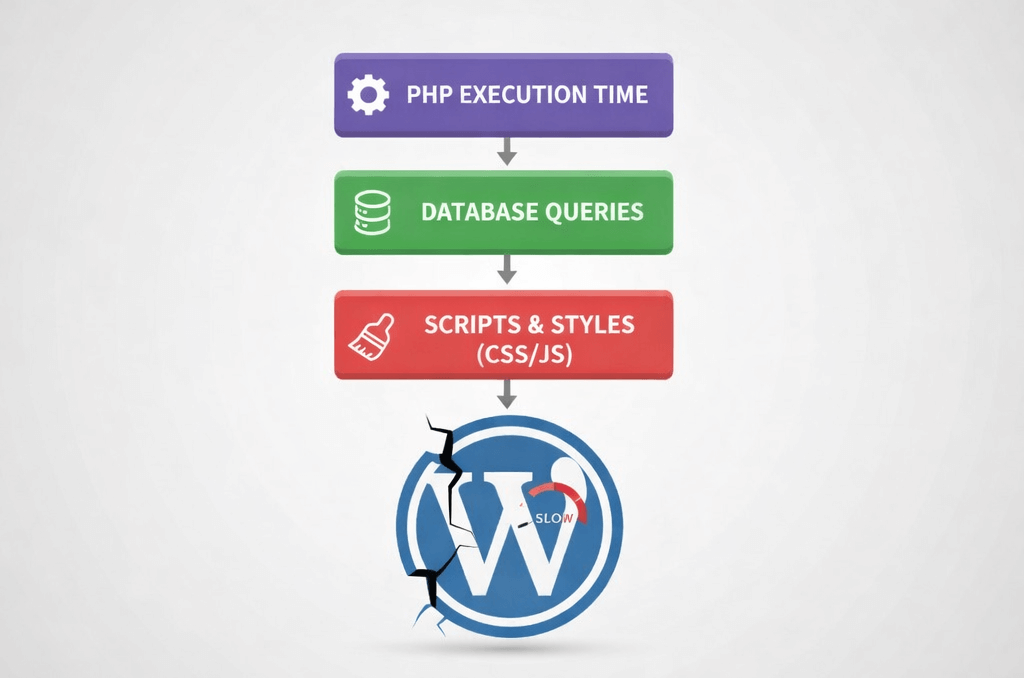
Every active plugin runs PHP code during page load. More plugins = more processing time, especially on shared hosting.
Some plugins make multiple database requests per page. This slows down response time and increases server load.
Many plugins load scripts and styles on every page—even when they’re not needed. This causes:
Plugins may load duplicate libraries or conflict with each other, leading to inefficient execution and errors.
Plugins that aren’t maintained often ignore modern performance standards, making your site slower over time.
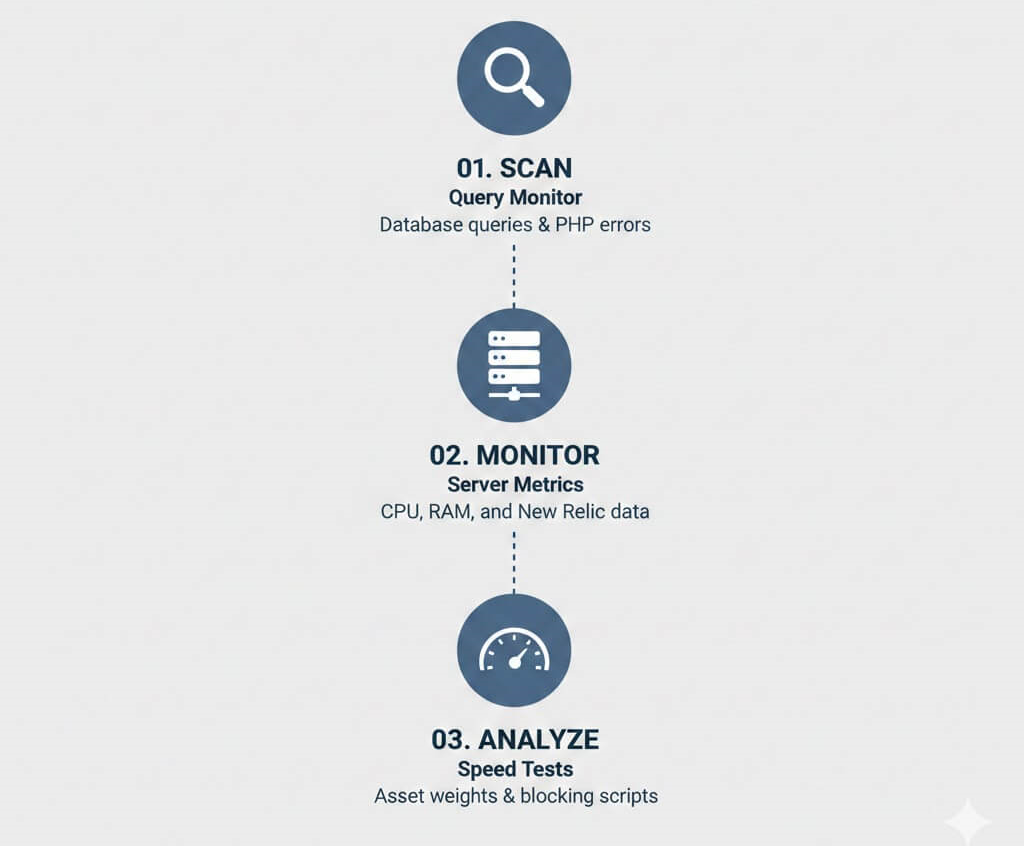
Query Monitor shows:
Tools like New Relic reveal CPU, memory, and slow functions per plugin.
Use GTmetrix, Google PageSpeed Insights, or WebPageTest to identify:
Ask yourself:
Deactivate and delete unused plugins. Fewer plugins mean faster load times.
Examples:
Load plugin assets only on required pages:
Tools like Asset Cleanup or Perfmatters help with conditional loading.
Clean up:
Minify and defer non-critical CSS and JavaScript to improve page rendering speed.
Caching plugins serve static pages instead of running PHP on every request, dramatically improving speed.
Use Redis or Memcached to cache database queries for high-traffic sites.
A CDN serves plugin assets from global locations, reducing latency.
For unique features, custom lightweight code often performs better than generic plugins.
Track performance after every plugin installation or update.
To learn a more comprehensive way to optimise your website, we have written a dedicated article focusing on it. You can read it here.
Every second counts in the digital world. Research shows that a single second of delay in page load time can slash conversions by seven per cent. For WordPress site owners, that’s not just a statistic—it’s money walking out the door while your pages struggle to load.
This wordpress speed optimization checklist is not about chasing perfect test scores or stacking plugins blindly. It is about understanding why WordPress sites slow down, what actually improves performance in 2026, and how to apply each optimization safely and effectively.
This guide is written for:
Google has treated page speed as a ranking factor for over a decade, but modern search goes further. Today, real user experience signals shape visibility across traditional search and AI-powered discovery systems.
Speed affects:
More importantly, users expect instant feedback. Nearly half of visitors will abandon a site that feels slow, and many never return. If you are driving traffic through SEO, ads, or social media, slow performance quietly burns your budget. Speed is not just technical optimisation. It is revenue protection.
WordPress itself is not slow. Poor decisions layered on top of it are.
Most performance issues come from a predictable set of problems:
These issues compound gradually. A site that launched fast can become sluggish within a year if performance is not maintained. This checklist addresses each bottleneck systematically.

Before optimizing anything, establish a baseline.
Why this matters
Optimising without measurement leads to guesswork. You need proof that changes improve real user experience, not just scores.
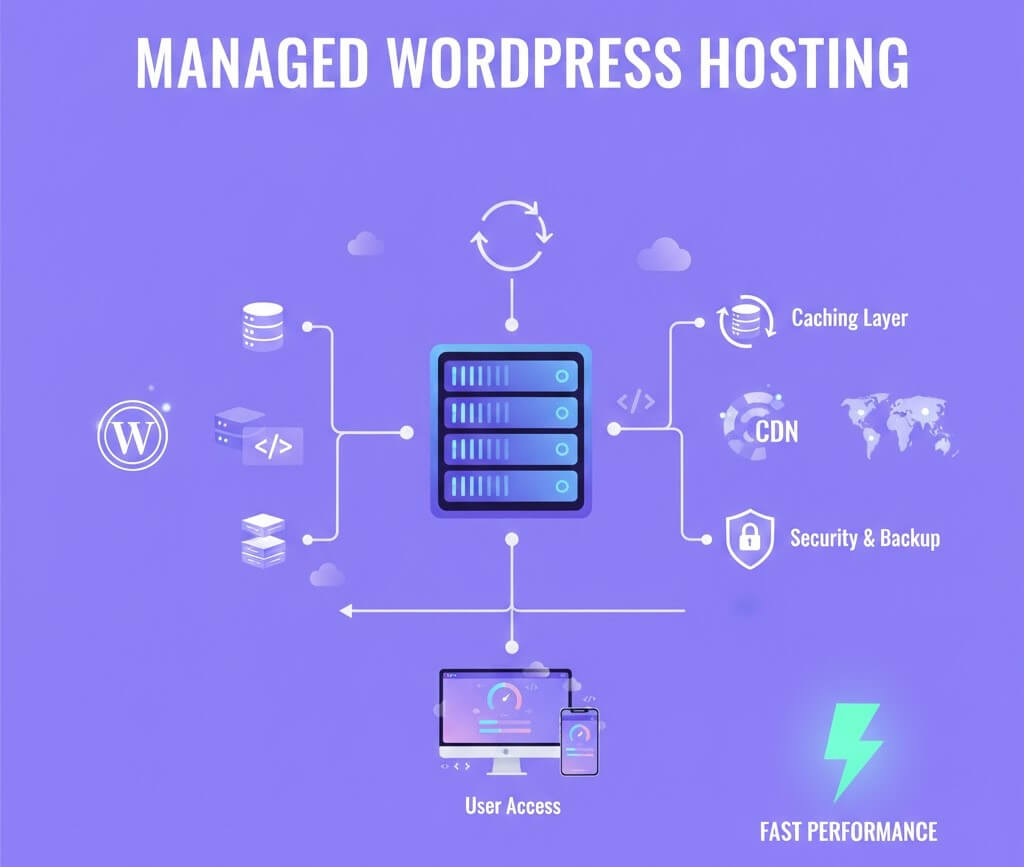
Hosting is the foundation of everything else.
Cheap shared hosting crams hundreds of sites onto one server. When one site spikes traffic or gets compromised, every site slows down.
Managed WordPress hosting often costs more, but it removes infrastructure bottlenecks no plugin can fix.
Why this matters
Hosting alone can account for 30 to 50 per cent of total performance gains.
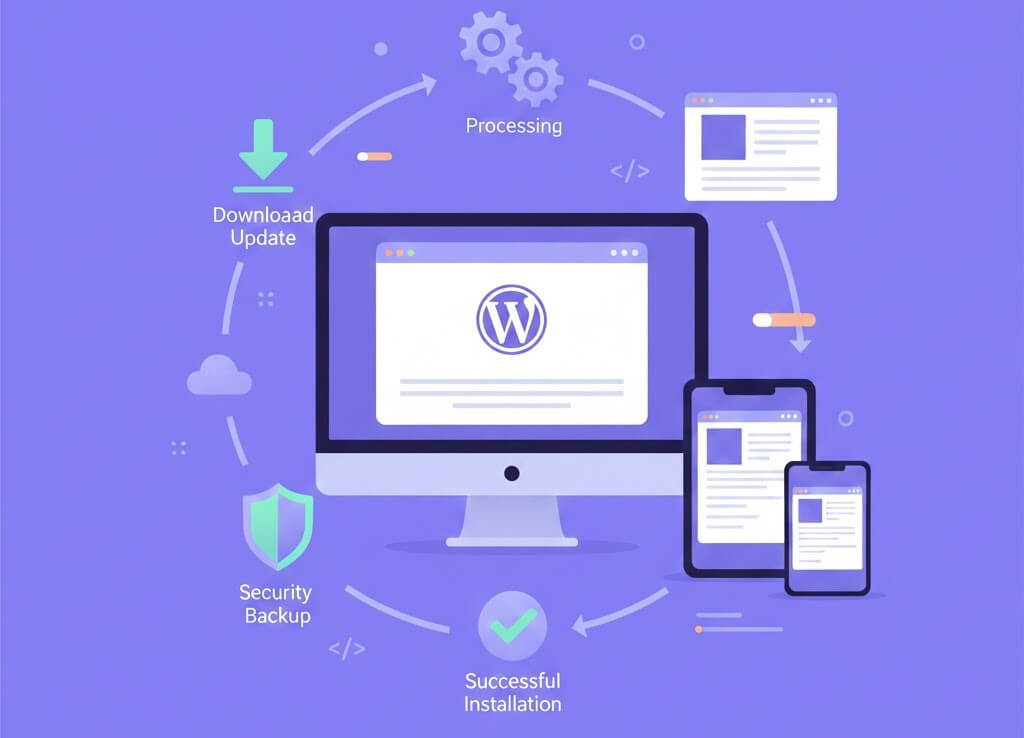
Updates are not just about security.
Modern WordPress updates often include:
Why this matters
Skipping updates means missing free performance improvements baked into newer versions. If you want a deeper look at the telltale signs that your WordPress website needs maintenance, we have put together an in-depth blog on the topic. Happy reading!
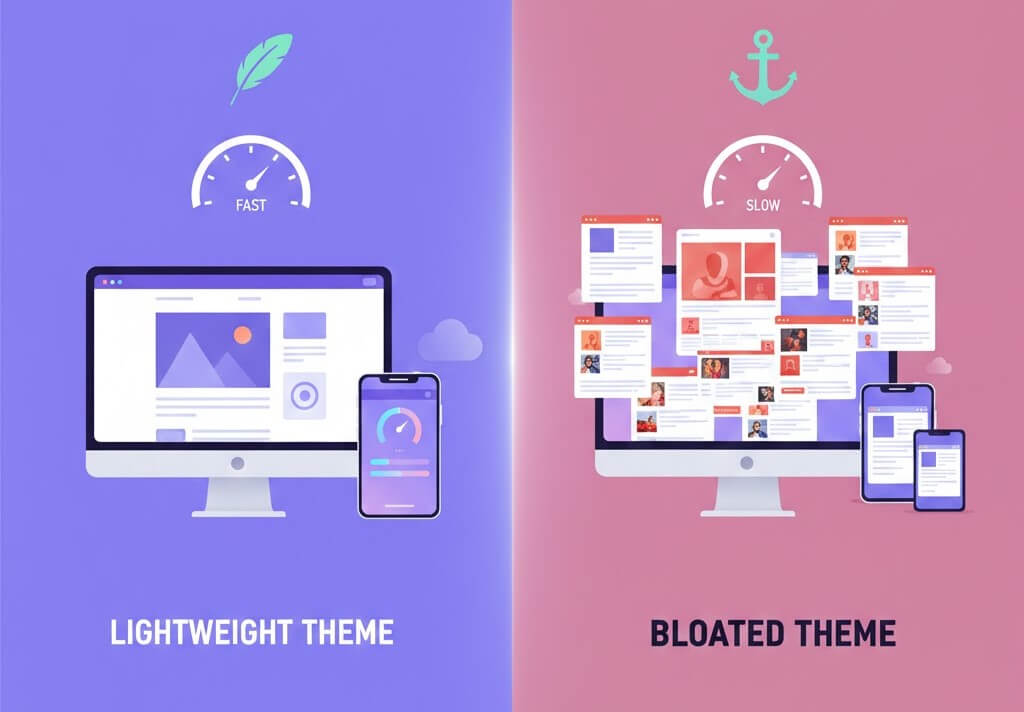
Your theme controls how much code loads on every page.
Themes marketed as “all-in-one” often load scripts, sliders, animations, and layout systems you never use.
If a theme demo scores poorly on mobile speed tests, your production site will perform worse.
Why this matters
A heavy theme adds weight to every page, regardless of content.
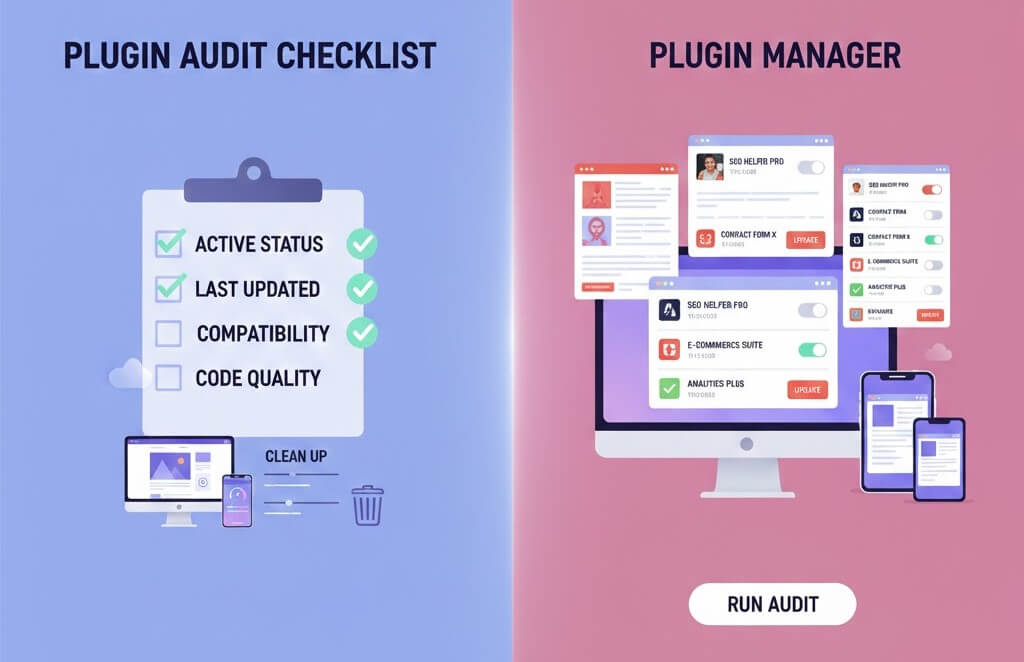
Plugins are powerful but dangerous when unmanaged.
Why this matters
Each plugin adds overhead. Fewer, better plugins improve speed and stability.

Images are usually the largest files on a page.
Uploading camera-sized images and relying on WordPress to scale them wastes bandwidth and hurts LCP scores.
Why this matters
Image optimization alone often produces the biggest immediate speed gains.
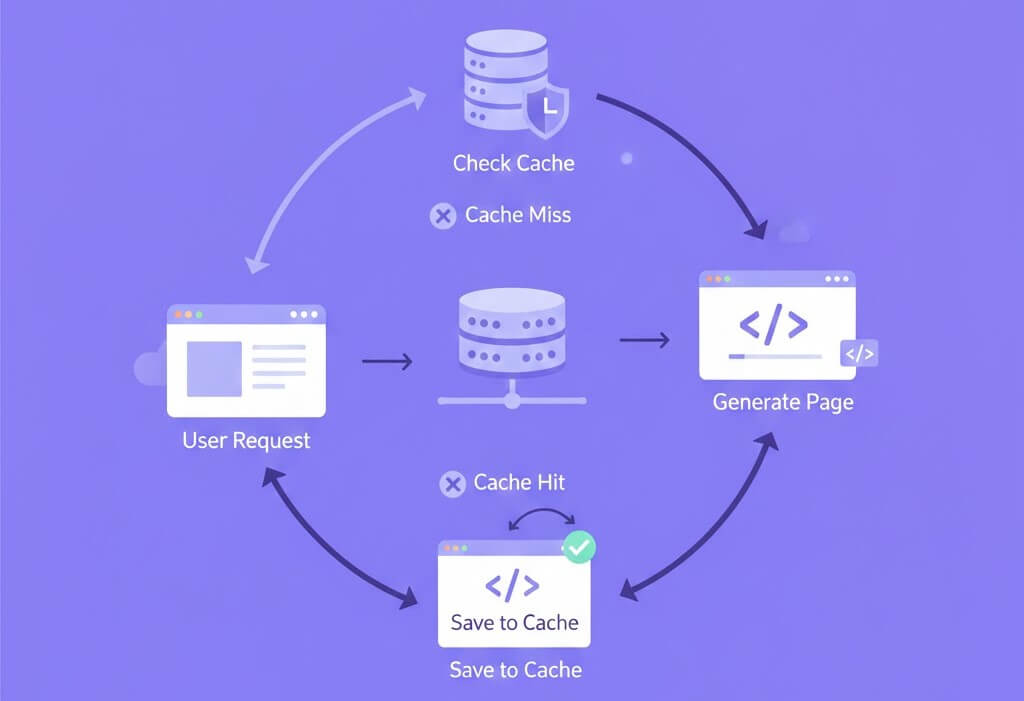
Caching prevents WordPress from rebuilding pages on every visit.
Why this matters
Caching can reduce server response times by an order of magnitude.
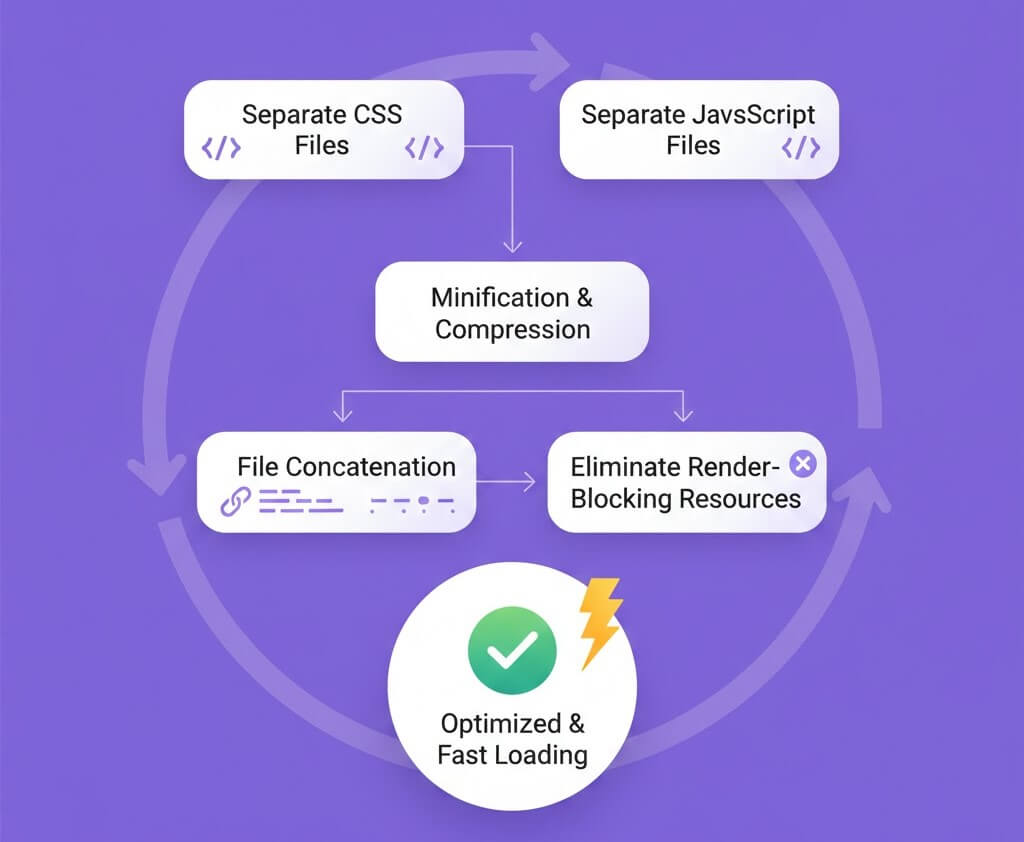
Asset optimisation must be deliberate.
Why this matters
Poorly configured optimization causes layout shifts, broken features, and a worse user experience.
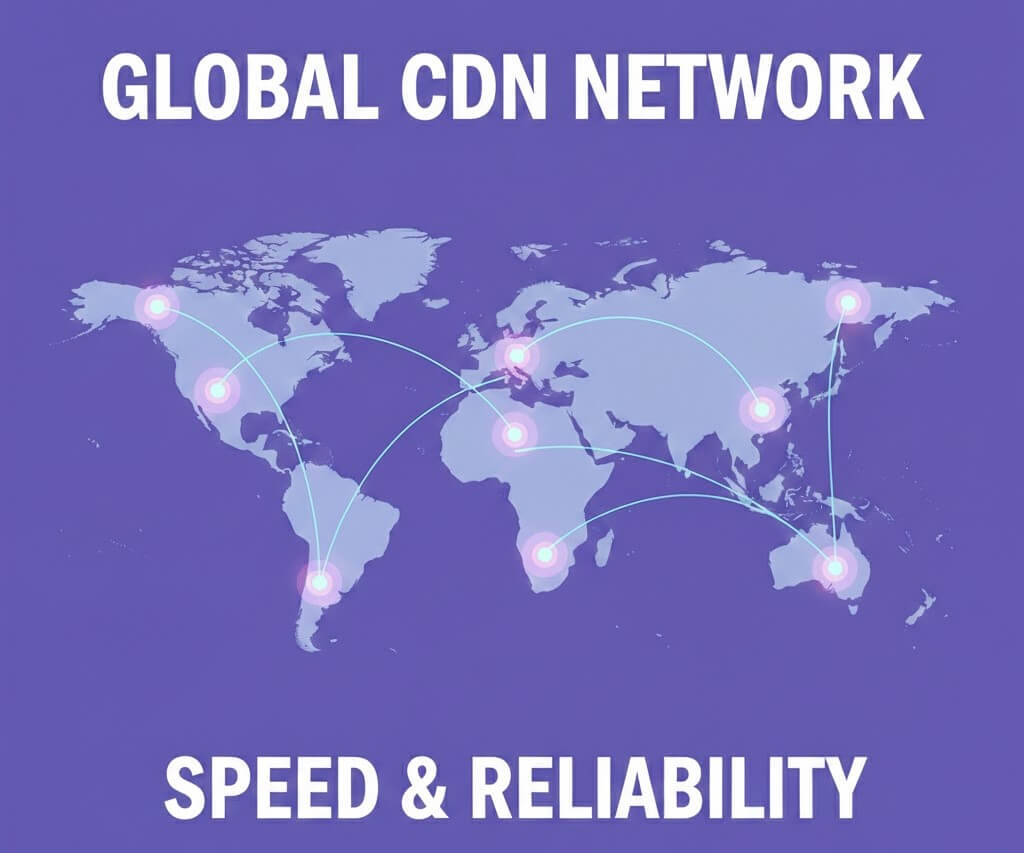
A Content Delivery Network reduces latency for global visitors.
Why this matters
Distance creates delay. CDNs bring content closer to users.
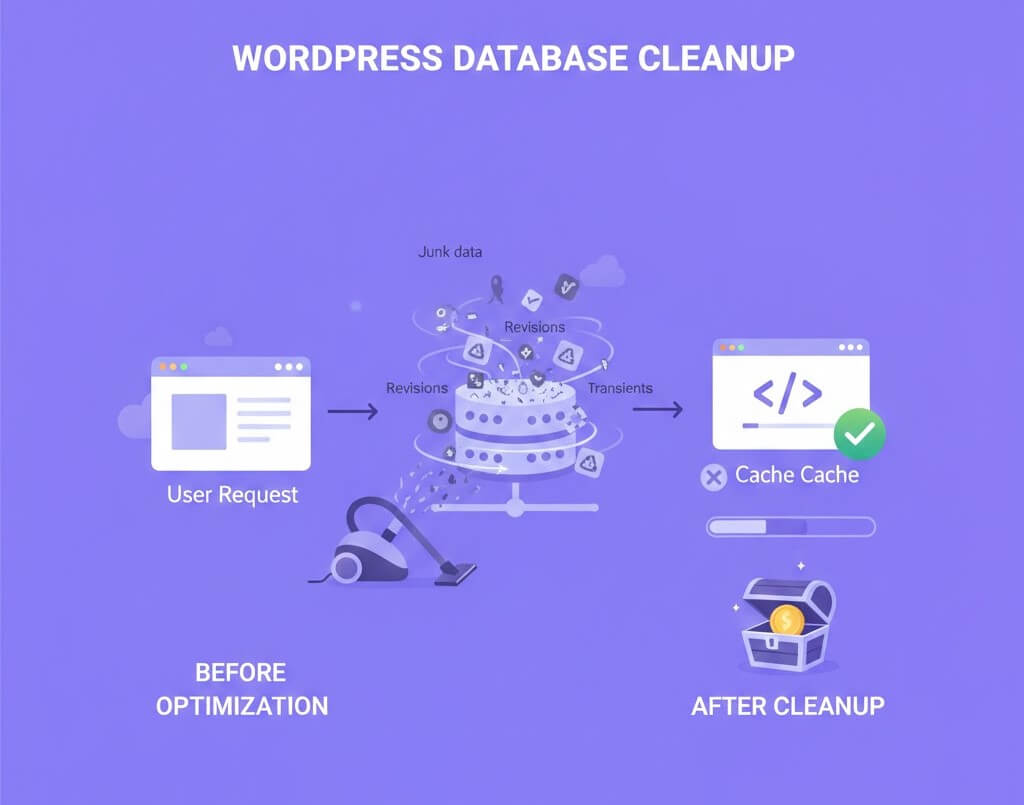
Databases accumulate clutter silently.
Why this matters
A lean database improves both front-end and admin performance. To know more about best practices to keep your wordpress website secure, you would love reading this article we wrote a while ago.
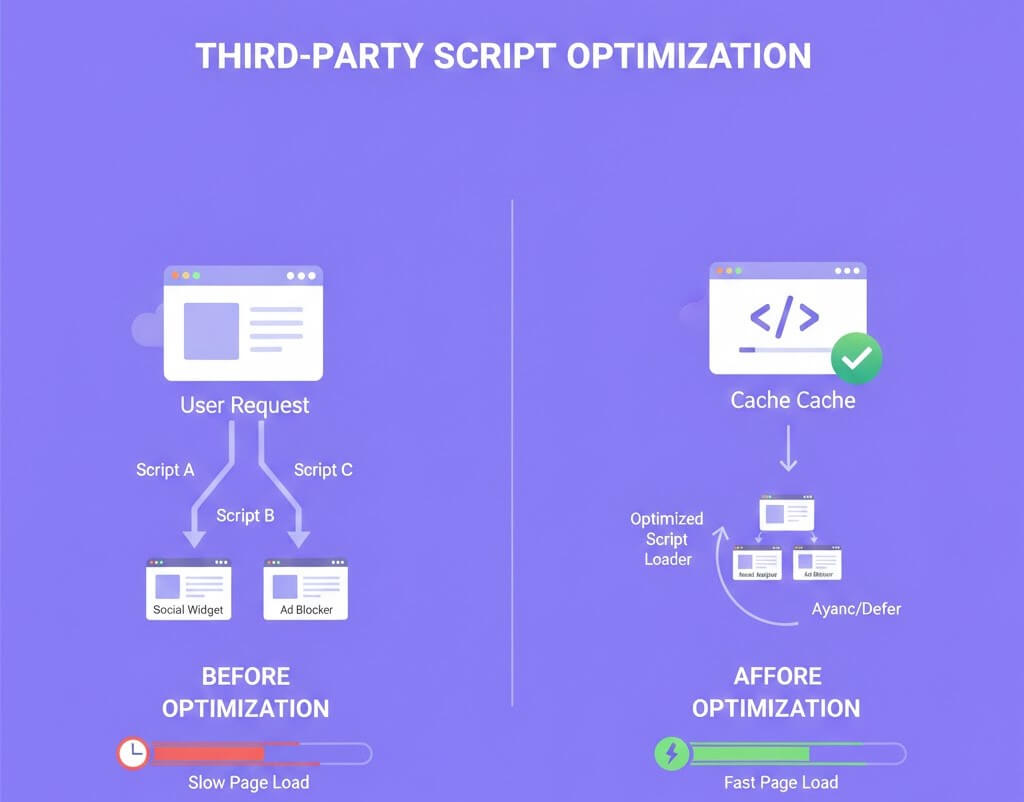
Every external script adds risk and delay.
Why this matters
Third-party requests block rendering and are outside your control.
Once fundamentals are in place, advanced strategies can deliver further gains:
These techniques require testing but scale well for competitive sites.
WordPress security remains one of the most critical concerns for website owners and agencies alike. WordPress powers a huge percentage of the internet, which also makes it a prime target for automated attacks, malware injections, and credential abuse.
While WordPress core itself is secure, most successful breaches happen due to outdated plugins, weak access controls, poor hosting environments, or overlooked areas like staging websites.
In 2026, WordPress website security is no longer about installing a plugin and hoping for the best.
Attacks are AI-driven, continuous, and often invisible. Many site owners only realise something is wrong after traffic drops, SEO spam appears, or their hosting provider suspends the site.
This guide is written for:
It focuses on WordPress security best practices that deliver real-world protection without unnecessary complexity.
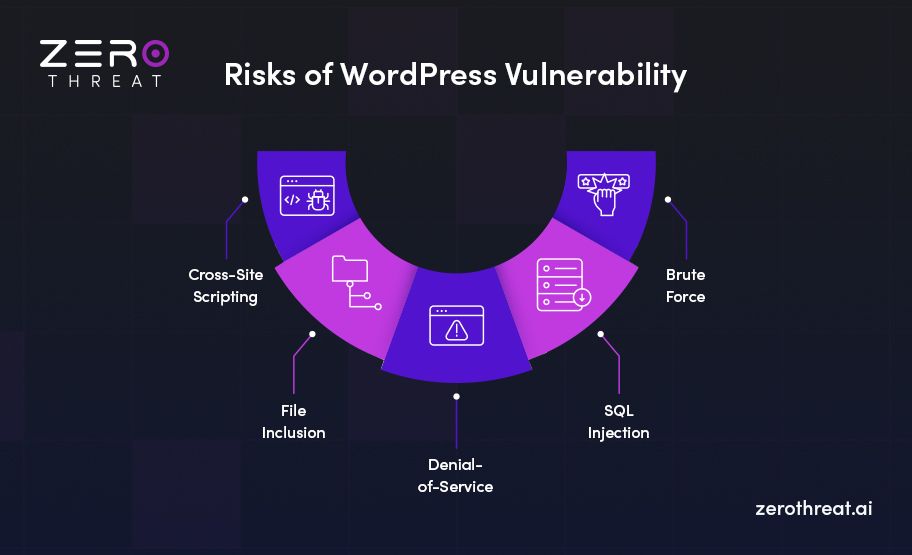
Understanding how WordPress sites get hacked helps you focus on prevention instead of damage control.
Modern WordPress attacks commonly involve:
For solo site owners, one missed update can be enough to compromise the site.
For agencies, a single vulnerable client website can damage trust and reputation.
Effective WordPress security in 2026 relies on layered protection and early detection.
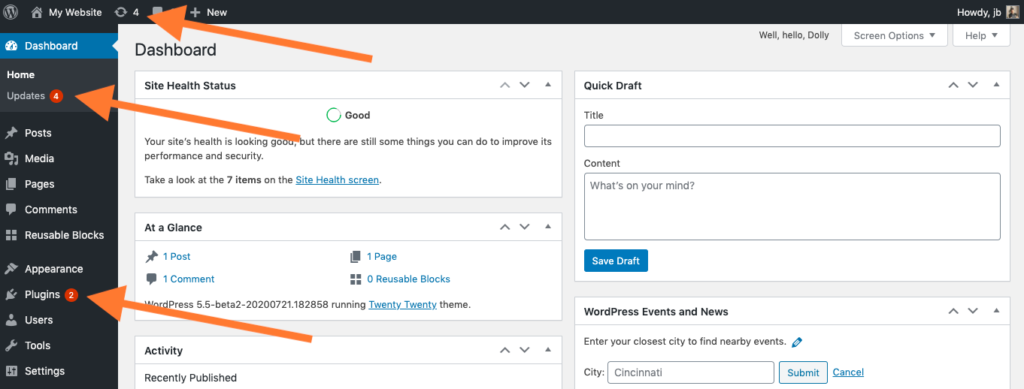
Outdated software remains the most common cause of a hacked WordPress site.
Attackers actively scan for known vulnerabilities in older versions. If your site is behind, it becomes an easy target.
Best practices:
For individuals, set a monthly maintenance reminder.
For agencies, standardise update workflows across all client sites.

Your hosting provider plays a major role in WordPress website security.
A secure host should provide:
Cheap shared hosting often lacks these protections. For agencies, poor hosting choices lead to recurring security incidents and support overhead.
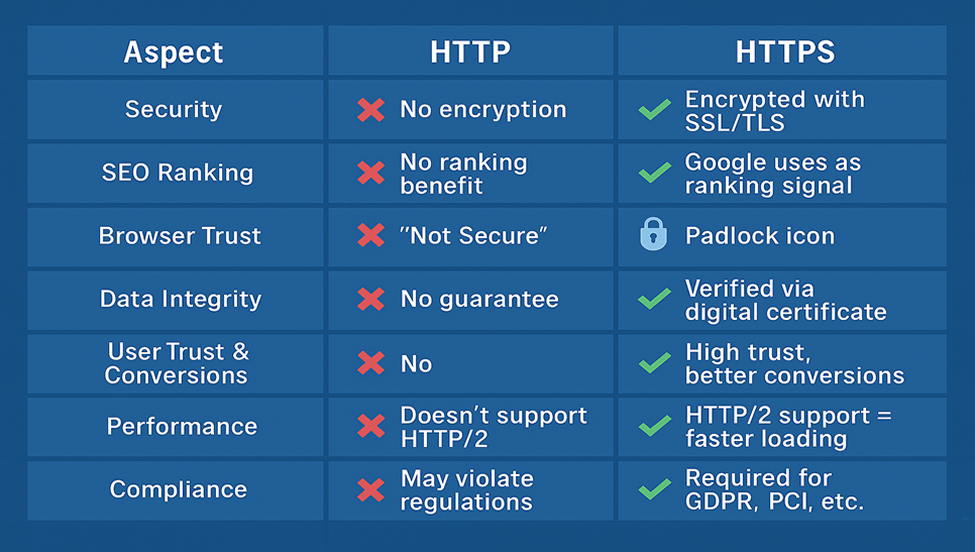
HTTPS protects:
Ensure HTTPS is enforced across your entire site, including wp-admin and wp-login. Fix mixed content issues to avoid weakening security.
Passwords alone are no longer sufficient for WordPress security.
Modern attacks use leaked credentials from other platforms. Even strong passwords fail when reused.
What to implement:
This protects solo users from account takeover and agencies from costly client mistakes.
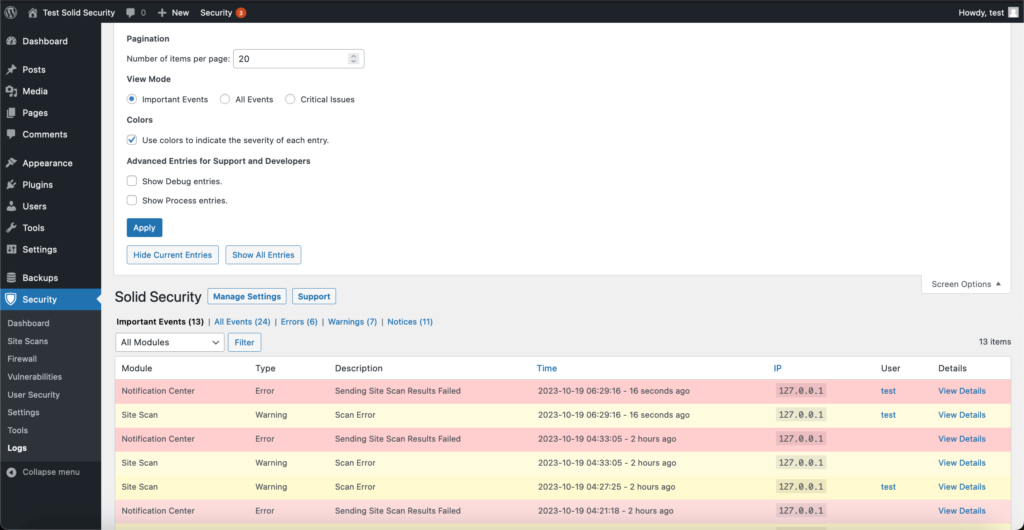
Limiting login attempts helps, but behaviour monitoring is far more effective.
Watch for:
Early detection prevents WordPress malware from spreading silently.
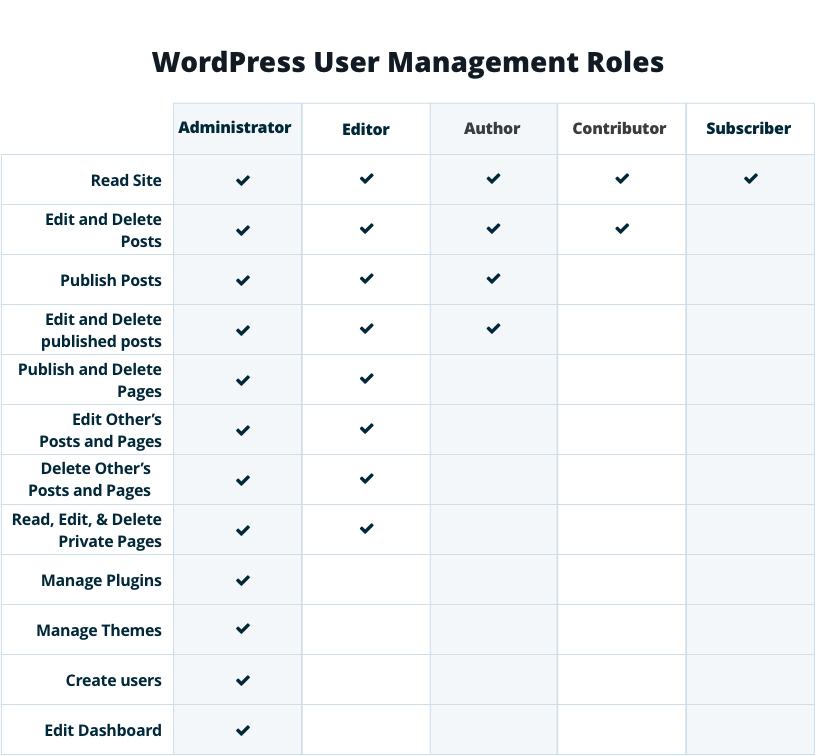
Many WordPress sites fail because everyone has admin access.
Best practices:
For agencies, this minimises risk from internal access and contractors.
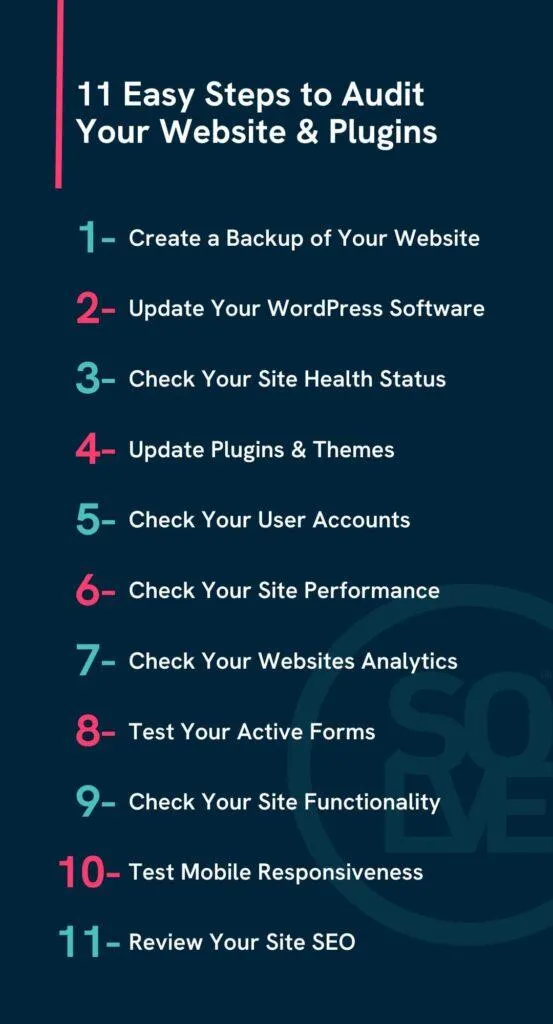
Plugins are powerful but remain the biggest WordPress security risk.
Before installing:
After installation:
Better plugins matter more than fewer plugins.
Inactive plugins and themes can still be exploited.
If you’re not using something, delete it. This includes default themes left unused.
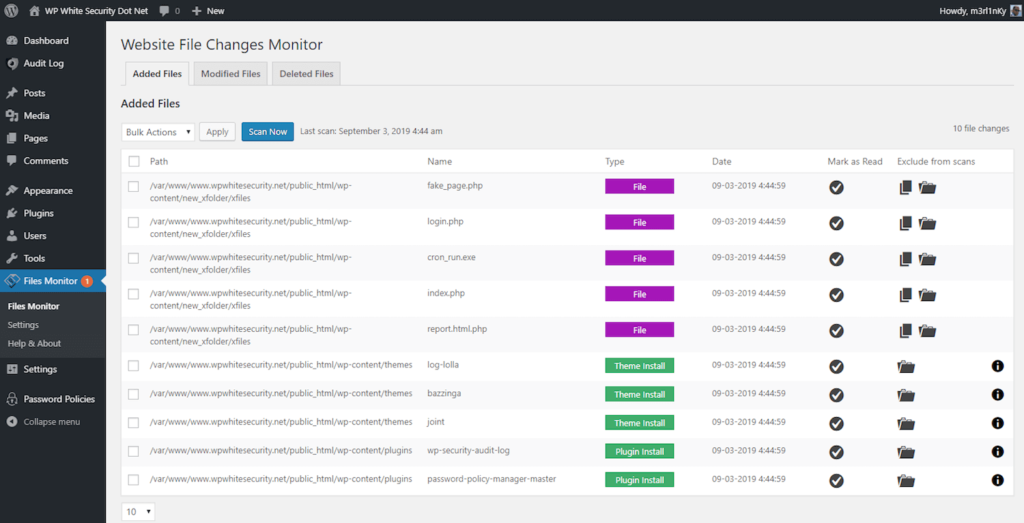
Many hacks do not cause immediate damage. Files are quietly modified over time.
File integrity monitoring helps:
Security logs should be reviewed proactively, not only after incidents.
Backups are essential, but not all backups are secure.
Your WordPress backup strategy should include:
Ransomware attacks increasingly target backups first.
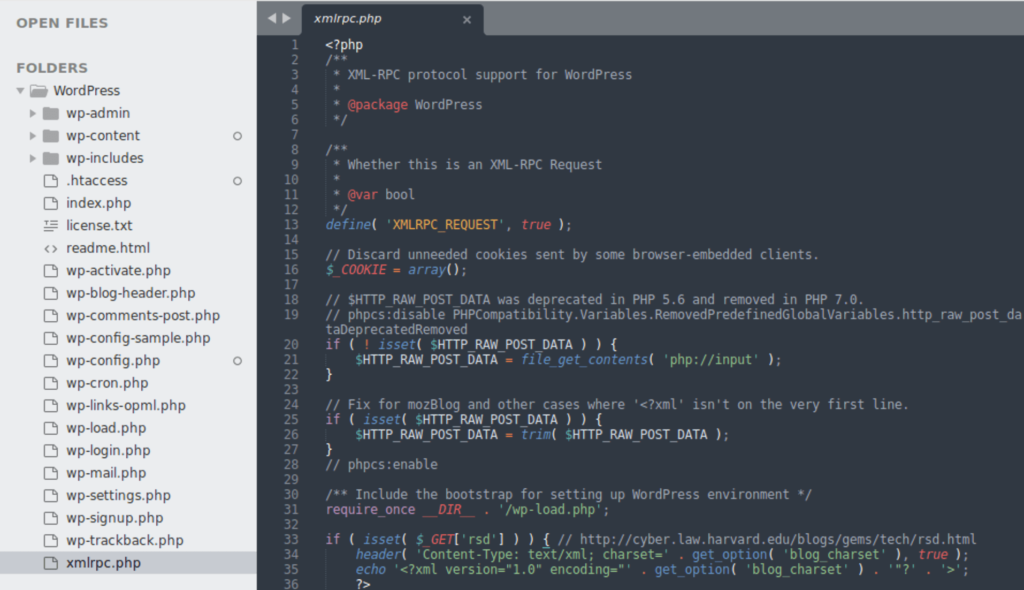
Often missed but highly effective:
These steps significantly reduce silent attack vectors.
Imagine never having to renew your website address again in your lifetime. WordPress has made this possible with its new 100-year domain registration offer.
This game-changing service lets you secure your online home for generations. No more yearly renewals or the risk of losing your domain due to forgotten expiration dates.
WordPress now offers domain registration that lasts a full century. Pay once, and your domain stays yours for the next 100 years.
The cost? $2,000 for a century of ownership—significantly cheaper than WordPress’s earlier package, which included hosting and cost nearly $38,000.
This offer applies to popular domain extensions like .com, .org, .net, and .blog. Each domain is placed in a trust account that you control, ensuring long-term ownership.
Have you ever lost a domain because you forgot to renew it? That nightmare scenario disappears with this offer.
Once registered, your domain remains yours until the 22nd century—no renewal notices, no unexpected expirations, no headaches.
Who Should Consider It?
– Families can preserve their name online for future generations. Think of it as a digital family heirloom.
– Businesses can secure their brand names permanently, eliminating the risk of competitors taking their web addresses.
– Museums, libraries, and historical organizations** can create permanent online archives that remain accessible to researchers and the public.
How It Works?
WordPress manages these century-long domains through a trust system, ensuring protection even if WordPress itself changes hands in the future.
The trust format guarantees ownership stability, giving you peace of mind no matter what happens to WordPress.com over the next 100 years.
Additionally, dedicated support is included throughout the entire registration period—so even your great-grandkids can get assistance if needed.
Owning a domain for 100 years transforms it from a rental into a long-term asset—more like real estate than a temporary lease.
Consider this: the internet is just over 30 years old. These domains will outlast the current age of the web by more than three times.
The Big Picture
As our lives become increasingly digital, securing a permanent online presence is more important than ever. WordPress recognizes this shift and is leading the way in long-term domain ownership.
This move puts WordPress ahead of competitors still tied to the traditional yearly renewal model, effectively creating a form of digital real estate that spans generations.
For those serious about their long-term online identity, this offer is worth considering.
Would you invest $2,000 to secure your digital address until the year 2125?
Lock in Your Domain for the Next 100 Years
Think of your website like a physical store.
If a customer walks in and sees a messy entrance, cluttered shelves, and no one to assist them, what do you think they’ll do?
They’ll leave.
Your website works the same way. If it’s slow, confusing, outdated, or hard to navigate, visitors will exit within seconds.
Many business owners invest in design updates and minor fixes but still struggle to convert visitors into customers. The problem? They don’t realize the deeper issues driving people away.
If this sounds familiar, this article is for you. Here are five costly website mistakes that could be costing you customers—and how to fix them.
Ever clicked on a site, waited… and waited… then left? Your visitors do the same when your website is slow.
A slow website gives the impression that your business is outdated or unreliable. Plus, speed impacts everything—from search rankings to conversions.
Speed matters. If improving it feels overwhelming, consider working with a web development expert.
If you are open to a further deep-dive, check out this detailed blog we wrote a few months back that would give you more insight on how to improve your loading times.
More than 55% of internet traffic comes from mobile devices, yet many websites still aren’t optimized for mobile.

A bad mobile experience turns visitors away. Ensure your site is smooth, readable, and easy to navigate on any device.
Ever landed on a website and had no idea where to go next? A confusing menu structure frustrates visitors and drives them away.
Navigation should be effortless. A user-friendly layout ensures visitors stay longer and engage with your content.
Would you buy from a website with no reviews, no contact details, and no security? Probably not. Trust is everything online.
People won’t buy from you if they don’t trust you. Show them why they should.
Ever visited a website and liked what you saw but didn’t know what to do next?
That’s what happens when a site lacks strong CTAs.
Your CTA is the bridge between interest and conversion. Make it clear, visible, and persuasive.
Artificial Intelligence (AI) is changing the way we work, learn, and communicate. 1
In 2025, one name is sending shock waves in the AI space: DeepSeek AI.
Released on January 20, This open-source AI tool is being hailed as a strong competitor to ChatGPT, offering unique features and capabilities that are catching the attention of developers, businesses, and tech enthusiasts in the world right now.
Not only this, its impact is already giving a soft blow to tech giants like Nvidia in the markets right now.
But what makes DeepSeek AI stand out, and is it a real game-changer? Let’s find it out.
DeepSeek R1 is an open-source AI model designed to compete with giants like ChatGPT.
DeepSeek-AI is good at tackling tough problems in math, logic, and coding.
People love how it seems to think like a human. It breaks things down into simple steps with its ‘Chain of Thought’ method, making solving complex problems way easier
Also, what sets DeepSeek R1 apart is its open-source nature, which means anyone can access, modify, and improve the code.
This makes it a favourite among developers and businesses looking for customizable AI solutions.
What makes DeepSeek better than the rest?
While both DeepSeek R1 and ChatGPT are powerful AI tools, they have some key differences:
DeepSeek R1 isn’t just a theoretical tool—it’s being used in real-world scenarios. Here are a few examples:
Marketing Trends 2025 are transforming how agencies operate and pitch to clients.
Imagine this: Your agency is pitching to a big client. You’re excited, but halfway through the meeting, it hits you—the strategies you’ve relied on for years no longer pack a punch.
The client’s unimpressed, and you walk away wondering where everything went wrong.
Sounds like a nightmare, right?
The marketing world is changing fast, and agencies that don’t adapt risk falling behind in 2025.
This blog will uncover five marketing trends reshaping the marketing game in 2025.

Picture this: A potential customer lands on your website. Within seconds, they see product recommendations that feel like they’ve been handpicked just for them.
An email pops up in their inbox with an offer they can’t resist. They feel seen, understood, and valued—and it’s all thanks to AI in B2B marketing and its game-changing personalization capabilities.
In 2025, generic campaigns will be a thing of the past.
Marketing is all about tailoring every message, ad, or email to match the unique preferences of your audience.
With AI driving this shift, agencies can create deeper connections, deliver better results, and gain a powerful edge over their competition.
1. Begin with Basic Automation Tools: Don’t stress about jumping into advanced AI tools right away. Start small with simple automation tools like email or social media schedulers. Many of these tools already have basic personalization features, so you can see how AI works without feeling overwhelmed.
Recommended Tools:
2. Test One Marketing Channel Thoroughly: Choose one channel—like email, social media, or paid ads—and start adding AI personalization to it. Test it out, see how it performs, and adjust your approach until you find what works best.
Recommended Tools:
3. Invest in Team Training
AI tools are only effective if your team knows how to use them. Make sure they get proper training so they can use the tools to get the best results.
Recommended Platforms:
4. Build Scalable Processes
Once you’ve perfected personalization on one channel, expand it. Set up simple processes to apply your strategies to other platforms, so you’re ready to grow without getting overwhelmed
Recommended Tools:

In 2025, marketing is taking a big turn, and privacy is leading the way. Customers are more aware than ever about how their data is being used—and they want control.
This shift isn’t just a trend; it’s shaping the future of marketing. With high-profile data breaches, growing concerns over digital tracking, and stricter regulations, people are taking their privacy more seriously than ever before.
They want to know exactly how their information is being collected, stored, and shared—and they’re not afraid to walk away from brands that don’t respect their privacy.
This shift in consumer mindset means privacy is no longer just a nice-to-have feature; it’s a critical factor in building trust and loyalty with your audience.
For businesses, this shift presents a golden opportunity to earn trust and stand out in a crowded market.
Let’s explore how embracing privacy can become your brand’s secret weapon and turn challenges into wins.

Picture this: You’re browsing online, and a brand catches your eye. Then, a few days later, you walk into a store, and the same brand greets you with a tailor-made offer.
That’s hybrid marketing in action—connecting the digital and physical worlds in ways that truly sweeten your experience.
As part of marketing trends 2025, it’s not just about being everywhere; it’s about being where your customers need you, in the right way.
Let’s dive into how you can make this happen and the tools that will take your strategy to the next level.
1. Immersive Experiences That Stand Out
Think beyond basic ads or regular posts. Using techs like AR, VR, or interactive videos can make your products pop. For example, IKEA’s AR app helps customers see how furniture will look in their homes before buying. Isn’t that fascinating?
Actionable Step:
Try using platforms like Zappar or ROAR AR to create AR experiences. Start with something simple, like allowing customers to virtually try on a product or see a 3D model on your site
2. Easy Tracking Across All Touchpoints
Hybrid marketing works best when you understand how your customers move between online and offline. Tools like Google Analytics 4 or HubSpot CRM help track customer behaviour, giving you a clearer picture of their journey.
Actionable Step:
Set up Google Analytics 4 and connect it to offline touchpoints, like in-store QR codes or event check-ins. This gives you a better understanding of how people interact with your brand in different places.
3. Make Your Marketing Mobile-Friendly
People spend a lot of time on their phones, whether shopping or browsing. A mobile-first approach makes sure your marketing works seamlessly on phones, from mobile-friendly sites to app-based loyalty programs.
Actionable Step:
Use tools like Branch.io to create links that connect your app, website, and physical stores. For example, a QR code in your store can lead customers to an app-only discount or more product details.
4. Connect Your Customer Data for a Smooth Journey
Hybrid marketing works when everything about your customer’s journey feels connected. CRMs like Salesforce or Zoho bring together your digital and offline data to create a seamless experience. For example, a customer could browse online, get personalized recommendations in-store, and then receive follow-up offers via email.
Actionable Step:
Integrate a CRM like HubSpot or Salesforce into your marketing and sales. Start by syncing online purchase data with in-store actions so your team can personalize each touchpoint.

Imagine this: You’re a consumer, choosing between two brands. One is all about sustainability, while the other doesn’t seem to care. Which one would you pick?
In marketing trends 2025, sustainability isn’t just a bonus—it’s a game-changer. Consumers and clients are making decisions based on a brand’s environmental impact, and if your agency isn’t on board, you could be missing out.
Let’s dive into why sustainability is so crucial right now and how your agency can start making it a priority.
You can’t improve what you don’t measure. Start by figuring out your agency’s carbon footprint—look at things like energy use, travel, and waste. Tools like Carbon Trust or SustainaBase can help you track this data.
Actionable Step:
Run a simple carbon audit of your office and operations. Use tools like Carbon Trust’s calculator to spot areas where you can cut down on emissions or get in touch with an expert to help you out on this.
Actionable Step:
Create a “green marketing” service package for clients. Offer ideas like digital-first strategies and campaigns that highlight sustainability.
Actionable Step:
Learn about certification programs like LEED or Fair Trade. Use this knowledge to guide clients through the process and give them advice on how to make the most of their certification.
Actionable Step:
Use tools like Canva or Microsoft Power BI to make visually appealing impact reports. Make them simple, but effective in showing off environmental accomplishments.
🌱 Green Tip: Start by assessing your own agency’s environmental impact. You can even hire an expert to help identify and fix issues that are harming the environment.

Talking to your devices is no longer a futuristic idea—it’s how millions interact with the internet every day.
Whether it’s asking Siri for the weather or Alexa to find the best pizza spot nearby, voice search is transforming how people look for information.
For marketing agencies, it’s not just a trend—it’s your next big chance to stay ahead and connect with audiences in a whole new way.
Voice search works like a conversation. People use natural phrases like “How do I…” or “What’s the best way to…?” instead of short keywords. To match this style, focus on long-tail keywords and questions.
Actionable Step:
Use tools like AnswerThePublic or SEMRush to find common questions your audience asks. Add these questions (and their answers) to your content.
Voice searches often pull short, direct answers. To rank higher, create helpful, bite-sized content that answers specific questions—like FAQs or quick how-to guides.
Actionable Step:
Write a blog post or FAQ page around a popular question in your industry. Keep it short, clear, and easy to say out loud.
Structured data (like schema markup) helps search engines display your content in voice search results. It’s a simple way to make your site stand out.
Actionable Step:
Add FAQ schema to your site using tools like Schema.org or plugins like Yoast SEO. This will help voice assistants easily find and share your content.
Voice search isn’t about stiff keywords—it’s about sounding natural. Write your content in a way that matches how people actually speak, so voice assistants can deliver it effortlessly.
Actionable Step:
Say your target questions out loud, then write answers in the same tone. Use this conversational style for blogs, product pages, or service descriptions.
Start by optimizing your agency’s website. Ask Siri, Alexa, or Google Assistant to search for your agency online. Use their results to adjust your content and make sure you’re voice-search-friendly.


