






WordPress security remains one of the most critical concerns for website owners and agencies alike. WordPress powers a huge percentage of the internet, which also makes it a prime target for automated attacks, malware injections, and credential abuse.
While WordPress core itself is secure, most successful breaches happen due to outdated plugins, weak access controls, poor hosting environments, or overlooked areas like staging websites.
In 2026, WordPress website security is no longer about installing a plugin and hoping for the best.
Attacks are AI-driven, continuous, and often invisible. Many site owners only realise something is wrong after traffic drops, SEO spam appears, or their hosting provider suspends the site.
This guide is written for:
- People learning WordPress and maintaining their own websites
- WordPress agency founders managing multiple client sites
It focuses on WordPress security best practices that deliver real-world protection without unnecessary complexity.
The WordPress Threat Landscape in 2026
Understanding how WordPress sites get hacked helps you focus on prevention instead of damage control.
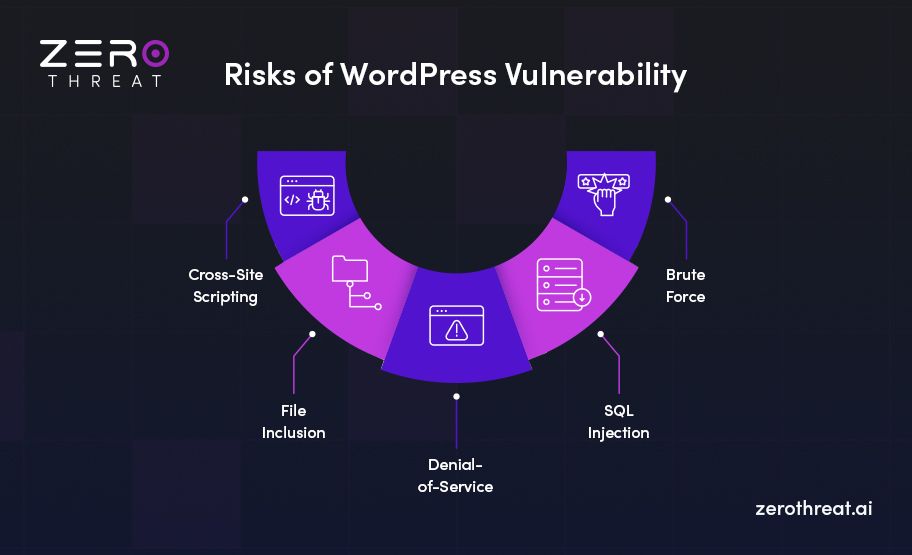
Modern WordPress attacks commonly involve:
- Automated scans for outdated plugins and themes
- Credential stuffing using leaked passwords
- Abuse of XML-RPC and REST APIs
- Vulnerable or abandoned plugins
- SEO spam injections that don’t visibly break the site
- Insecure staging and development environments
For solo site owners, one missed update can be enough to compromise the site.
For agencies, a single vulnerable client website can damage trust and reputation.
Effective WordPress security in 2026 relies on layered protection and early detection.
Foundation-Level Security: The Non-Negotiables
1. Keep WordPress Core, Themes, and Plugins Updated
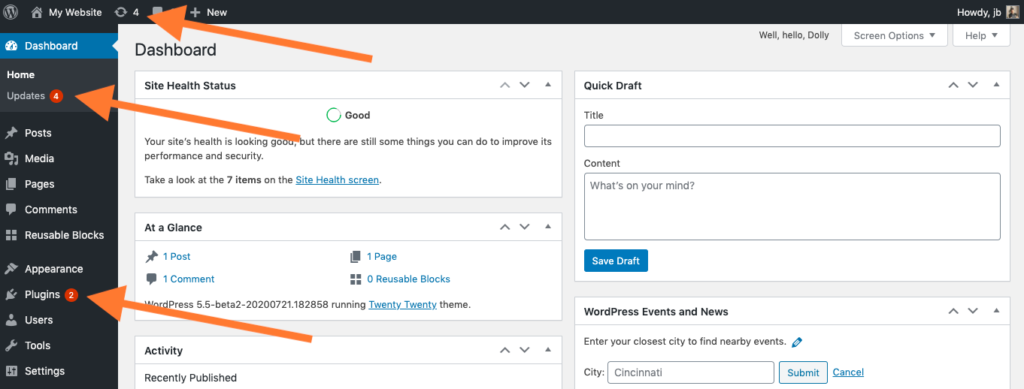
Outdated software remains the most common cause of a hacked WordPress site.
Attackers actively scan for known vulnerabilities in older versions. If your site is behind, it becomes an easy target.
Best practices:
- Enable automatic updates for WordPress core and trusted plugins
- Test updates on a staging site when possible
- Remove plugins that are no longer maintained
- Apply security updates immediately
For individuals, set a monthly maintenance reminder.
For agencies, standardise update workflows across all client sites.
2. Choose Secure and WordPress-Optimised Hosting
Your hosting provider plays a major role in WordPress website security.
A secure host should provide:
- Server-level firewalls
- Malware scanning
- Account isolation
- Automatic backups
- Secure PHP and database configurations
Cheap shared hosting often lacks these protections. For agencies, poor hosting choices lead to recurring security incidents and support overhead.
3. Use HTTPS and Enforce Secure Connections
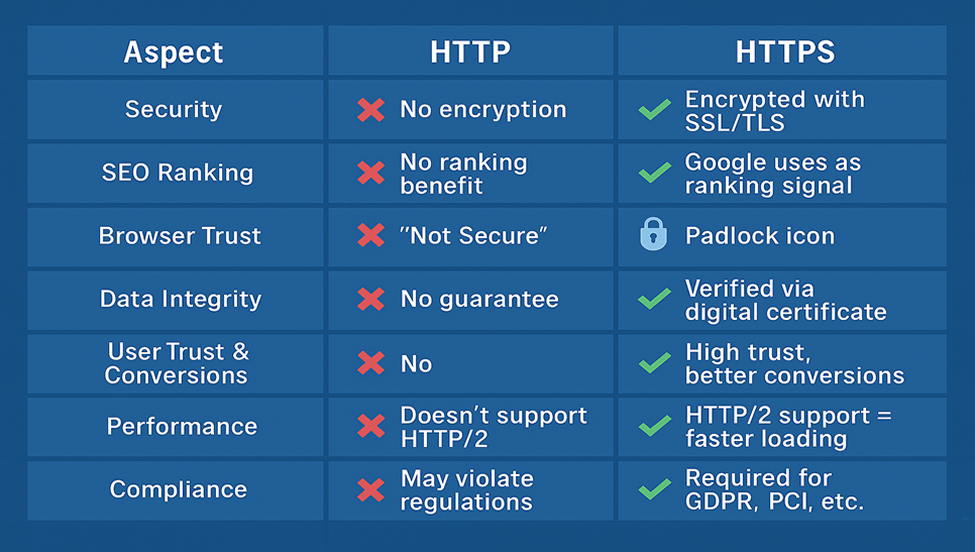
HTTPS protects:
- Admin sessions
- Login cookies
- Form submissions
- API requests
Ensure HTTPS is enforced across your entire site, including wp-admin and wp-login. Fix mixed content issues to avoid weakening security.
Authentication and Access Control: Where Most Breaches Start
4. Strengthen Login Security Beyond Passwords
Passwords alone are no longer sufficient for WordPress security.
Modern attacks use leaked credentials from other platforms. Even strong passwords fail when reused.
What to implement:
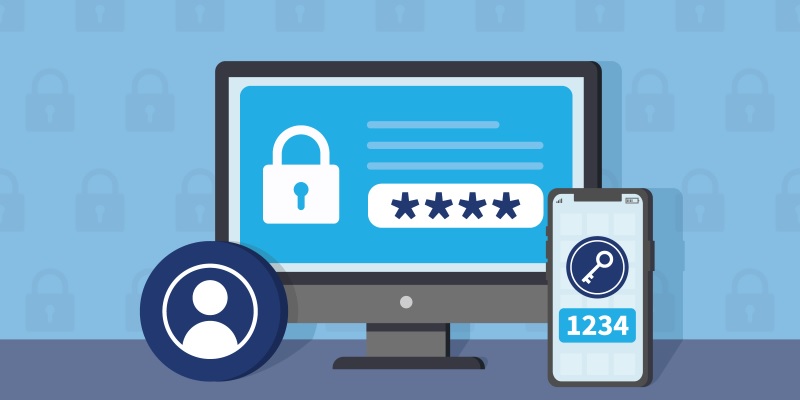
- Two-factor authentication for all admin users
- Password managers instead of manual passwords
- Restricted access to wp-admin
- Disable file editing from the dashboard
This protects solo users from account takeover and agencies from costly client mistakes.
5. Limit Login Attempts and Monitor Login Behaviour
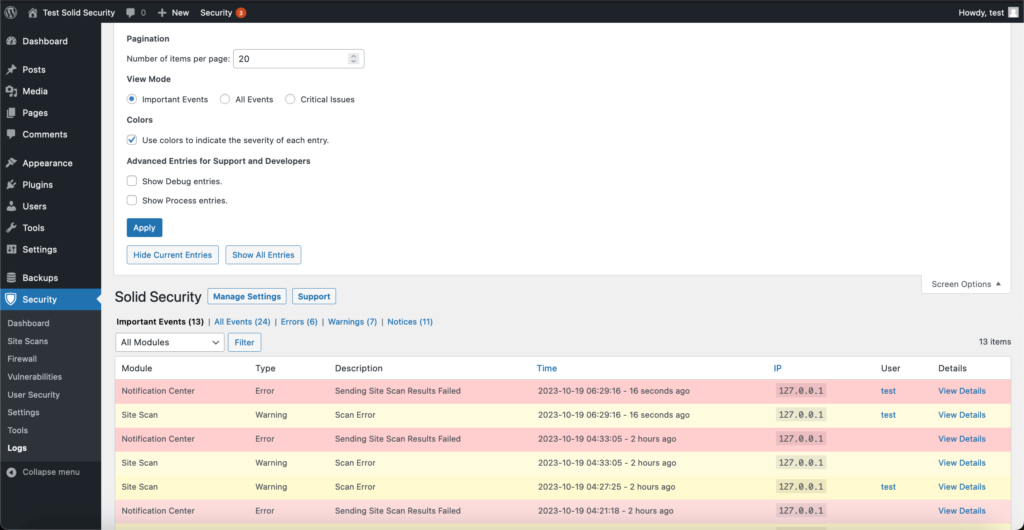
Limiting login attempts helps, but behaviour monitoring is far more effective.
Watch for:
- Repeated failed logins
- Logins from unusual locations
- Sudden spikes in authentication attempts
- Multiple accounts are being targeted
Early detection prevents WordPress malware from spreading silently.
6. Apply the Principle of Least Privilege
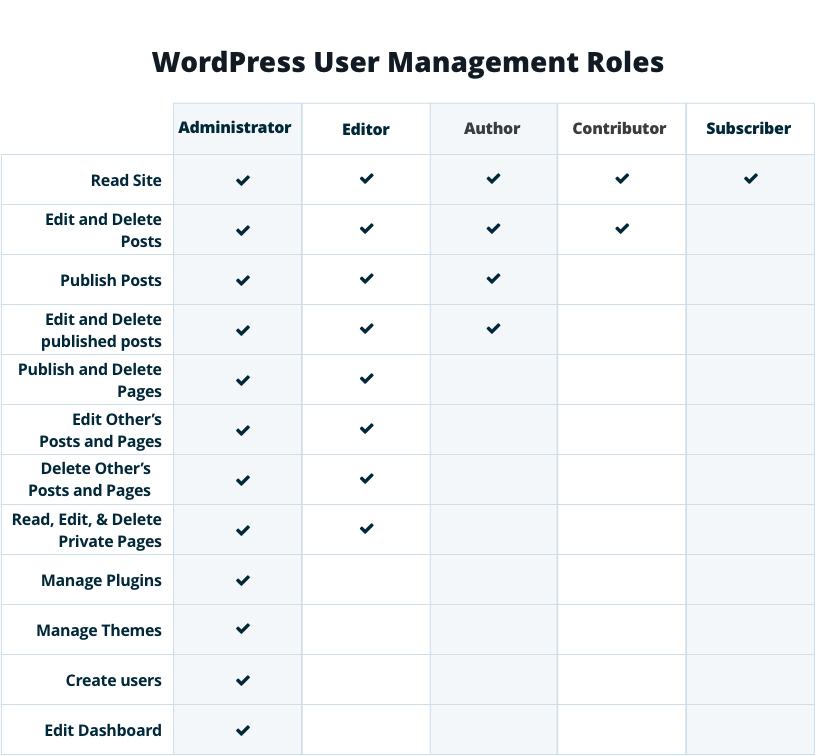
Many WordPress sites fail because everyone has admin access.
Best practices:
- Limit admin accounts
- Assign appropriate user roles
- Remove inactive users
- Restrict plugin and theme installation permissions
For agencies, this minimises risk from internal access and contractors.
Plugin and Supply-Chain Security: The Most Overlooked Risk
7. Audit Plugins Before and After Installation
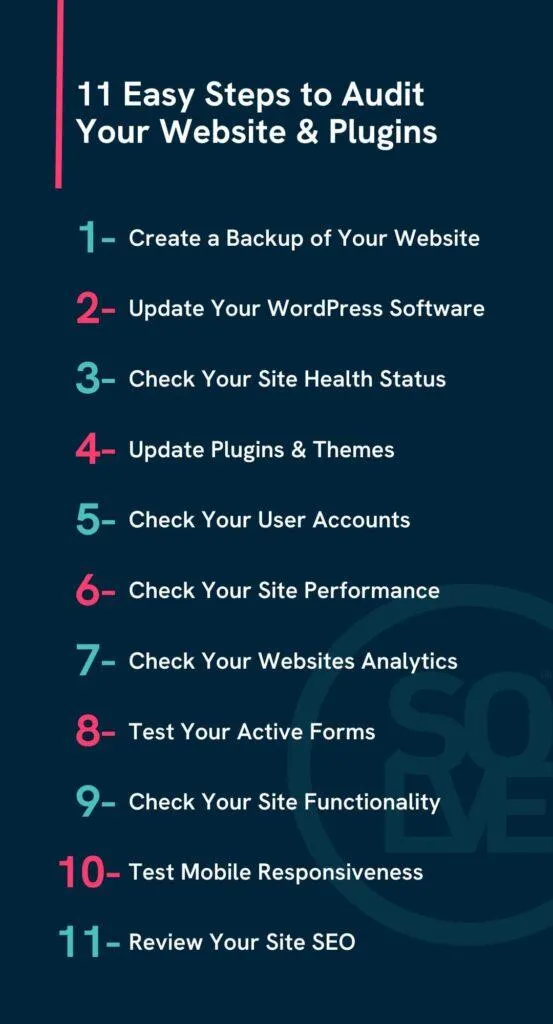
Plugins are powerful but remain the biggest WordPress security risk.
Before installing:
- Check the last update date
- Review developer activity
- Look at support responsiveness
- Avoid abandoned plugins
After installation:
- Monitor update frequency
- Remove unnecessary plugins
- Avoid overlapping functionality
Better plugins matter more than fewer plugins.
8. Remove Unused Plugins and Themes Completely
Inactive plugins and themes can still be exploited.
If you’re not using something, delete it. This includes default themes left unused.
Monitoring, Detection, and Recovery
9. Use File Integrity Monitoring and Security Logs
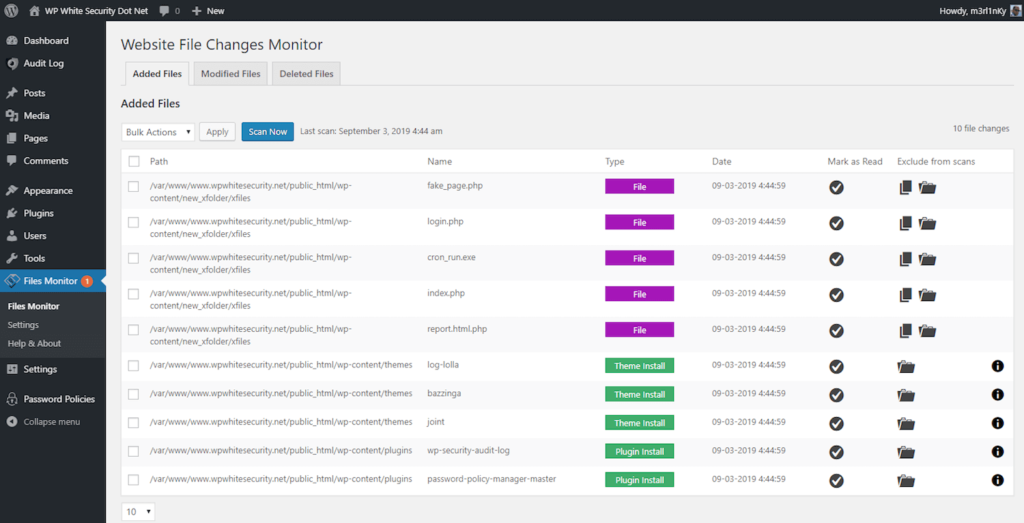
Many hacks do not cause immediate damage. Files are quietly modified over time.
File integrity monitoring helps:
- Detect unauthorized changes
- Catch infections early
- Reduce SEO and data loss
Security logs should be reviewed proactively, not only after incidents.
10. Secure Your Backups Against Modern Threats
Backups are essential, but not all backups are secure.
Your WordPress backup strategy should include:
- Offsite storage
- Access restrictions
- Immutable backups where possible
- Regular restoration testing
Ransomware attacks increasingly target backups first.
Advanced and Under-Discussed WordPress Security Tactics
Often missed but highly effective:
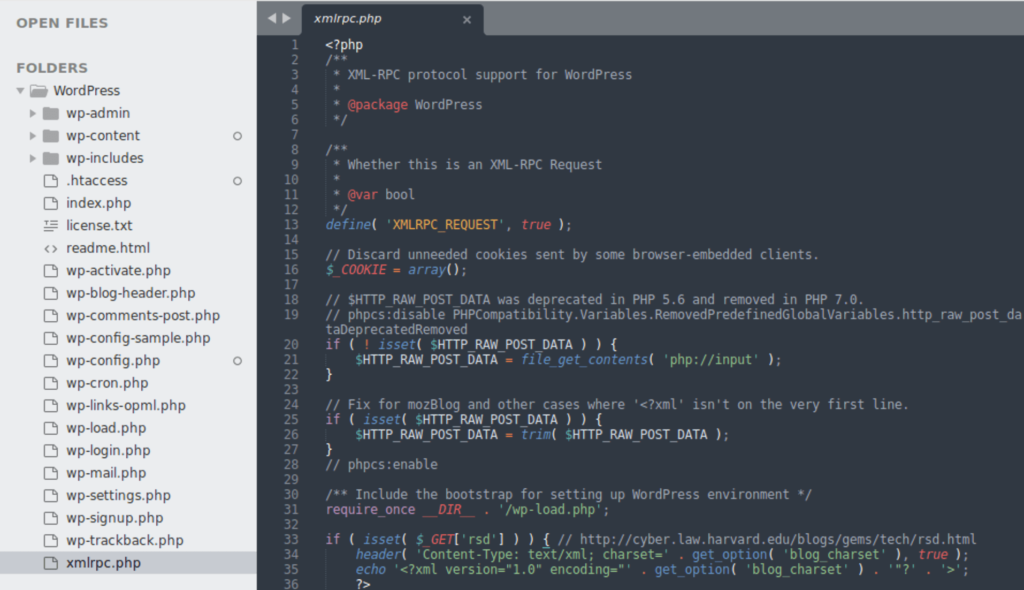
- Disable or restrict XML-RPC if unused
- Secure staging and development sites
- Protect the wp-config at the server level
- Limit REST API access
- Harden database permissions
These steps significantly reduce silent attack vectors.
Your WordPress Security Checklist for 2026
- Keep WordPress, plugins, and themes updated
- Use secure WordPress-optimised hosting
- Enforce HTTPS everywhere
- Enable two-factor authentication
- Monitor login behaviour
- Apply least-privilege user roles
- Audit plugins regularly
- Remove unused components
- Monitor file changes
- Maintain secure off-site backups
Frequently Asked Questions
1. Is WordPress secure in 2026?
Yes. When maintained correctly, WordPress is secure. Most issues come from misconfigurations and third-party components.
2. Are security plugins enough?
They help, but they cannot replace good hosting, access control, and regular WordPress maintenance.
3. How often should I review security?
At least monthly and after major updates or plugin installations.
4. Can a hacked WordPress site fully recover?
Yes, with proper cleanup and hardening. Prevention, however, is far cheaper than recovery.
Conclusion: Final Thoughts and How We Can Help
WordPress security is an ongoing process, not a one-time setup.
If you are managing your site alone, security can quickly become overwhelming.
If you run a WordPress agency, maintaining security across multiple sites requires systems, experience, and constant monitoring.
We help individuals and agencies with:
-
Ongoing WordPress maintenance
-
Security monitoring and updates
-
Professional cleanup of a hacked WordPress site
-
Malware removal and hardening
-
Preventing repeat infections
If you want peace of mind or are currently dealing with a security issue, having experts handle maintenance lets you focus on growth instead of firefighting. Feel free to get in touch